In today’s interconnected world, virtual meetings have become the norm, with platforms like Zoom bringing colleagues, clients, and loved ones together. Yet, many of us struggle with poor lighting, appearing dimly lit, shadowed, or even washed out on camera. The solution? A Ring Light For Zoom Calls. This simple yet powerful tool can dramatically transform your on-screen appearance, ensuring you always look professional, vibrant, and confident. If you’re ready to banish unflattering shadows and embrace a perfectly lit virtual presence, this comprehensive guide will walk you through everything you need to know.
What is a Ring Light? What are its uses?
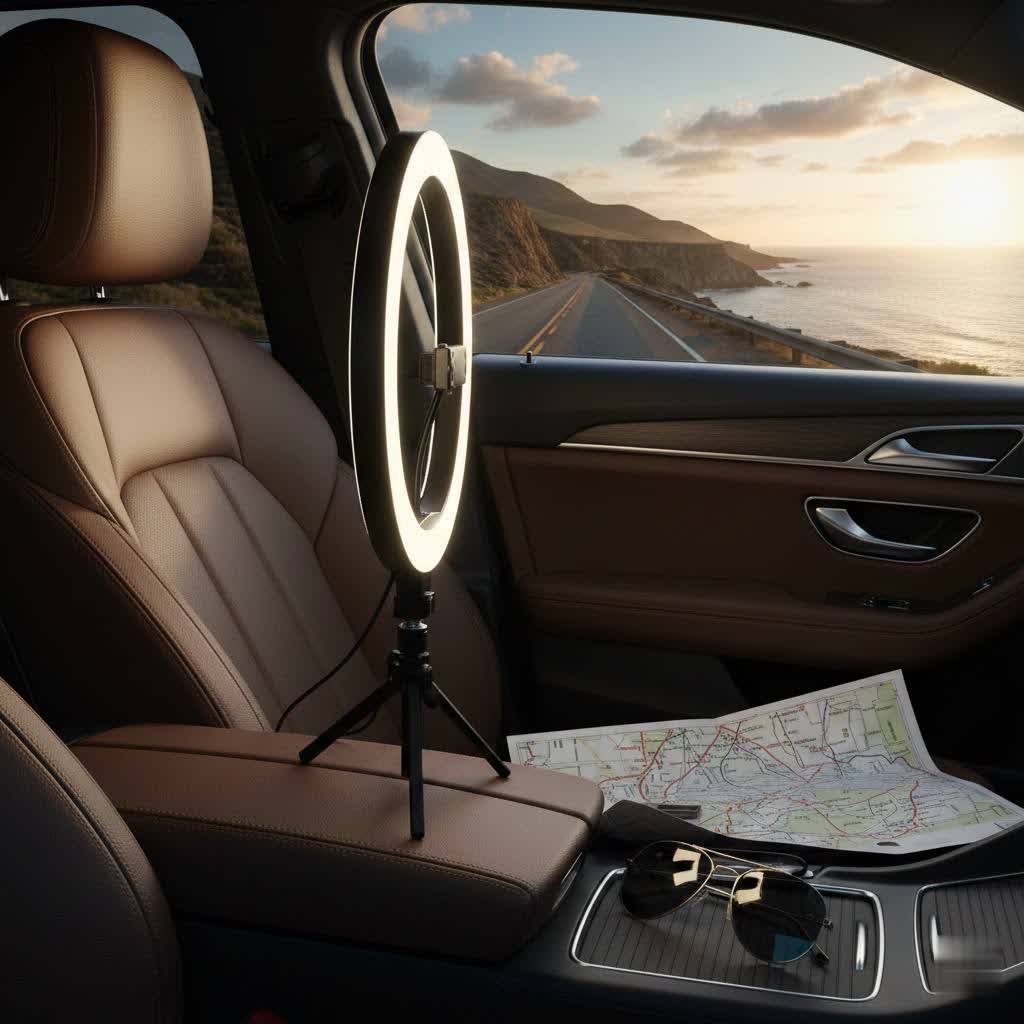
A ring light is a circular lighting device designed to produce a soft, even, and flattering light directly onto your subject. Its distinctive circular shape allows for a camera or phone to be placed in the center, ensuring the light source surrounds the lens and illuminates the face uniformly from all angles. This unique design helps to minimize harsh shadows, soften facial features, and create an appealing “catchlight” in the eyes.
While ring lights have long been a favorite among photographers and videographers for their ability to create professional-looking portraits, their utility has soared in the era of virtual communication. For Zoom calls, streaming, and online presentations, a ring light serves several key purposes. It provides consistent front-facing illumination, which is crucial for making you clearly visible and preventing your face from appearing dark or silhouetted, especially if you have a window or bright light source behind you. Furthermore, the diffused glow can smooth out skin tones and reduce the appearance of blemishes, enhancing your overall professional image. Whether you’re conducting a critical business meeting, teaching an online class, or catching up with friends, a ring light ensures you put your best face forward.
Popular Ring Light Types for Virtual Meetings
The market offers a diverse range of ring lights, each suited for different setups and needs. Understanding the popular types can help you pinpoint the ideal choice for your Zoom call environment.
Ring lights can be primarily categorized by their size and mounting options, as well as their power source and customizable features.
-
By Size and Mounting:
- Clip-on/Mini Ring Lights (6-8 inches): These compact lights are designed to clip directly onto your laptop, monitor, or smartphone. They are highly portable and ideal for minimal desk space or for those who travel frequently. While smaller, they provide a focused light perfect for individual faces in close proximity to the camera.
- Desktop Ring Lights (10-14 inches): Ranging from 10 to 14 inches in diameter, these lights typically come with a small desk tripod or a weighted base. They offer a broader and softer illumination than clip-on models, making them a popular choice for home offices. Many include a phone holder in the center, making them versatile for both webcam and smartphone video calls.
- Large/Floor Stand Ring Lights (18+ inches): These larger ring lights usually come with adjustable floor stands, providing significant height and a wider spread of light. They are often chosen by content creators, makeup artists, and professionals who need studio-quality lighting or sit further away from their camera. While less portable, they offer the most versatile lighting control.
-
By Power Source:
- USB-Powered: Many smaller and medium-sized ring lights draw power directly from a USB port on your computer, a wall adapter, or a power bank. This makes them highly convenient for laptop users and for travel, offering flexibility without needing a dedicated power outlet.
- Battery-Powered: Some portable models, especially clip-on and certain desktop lights, include a built-in rechargeable battery. This provides wireless operation, offering maximum freedom to set up your lighting anywhere, even without access to power outlets.
- AC-Powered: Larger and more powerful ring lights typically require a direct connection to a wall outlet (AC power). These models often deliver brighter, more consistent illumination, essential for extended sessions and professional-grade output.
-
By Features:
- Adjustable Brightness and Color Temperature: Most modern LED ring lights offer multiple brightness levels and adjustable color temperatures (ranging from warm yellow tones to cool daylight white). This allows you to fine-tune the light to match your ambient room lighting and achieve the most flattering look for your skin tone.
- Remote Control: Some advanced models come with a wired or wireless remote, allowing you to adjust settings without reaching for the light itself, which can be particularly convenient during live calls.
Comparing Different Ring Light Types
Choosing the best ring light involves weighing various factors. A detailed comparison can help highlight the strengths of each type concerning virtual meetings.
Detailed Comparison Table
|
Our Picks for the Best Ring Light in 2026
As an Amazon Associate I earn from qualifying purchases.
|
||
| Num | Product | Action |
|---|---|---|
| 1 | Ring Outdoor Cam Pro, Plug-In (newest model), Home or business security, Retinal 4K with wide-angle video, 10x Enhanced Zoom, and Low-Light Sight, White |

|
| 2 | Video Conference Lighting for Zoom Meeting, Ring Light for Desk with Flexible Stand, 30 Light Modes Light for Video Recording, Desk Light & Memory Function for Zoom Calls, Video Streaming, Webcam |
|
| 3 | Ring Spotlight Cam Pro, Plug-in (newest model), Home or business security, Retinal 4K with wide-angle video, 10x Enhanced Zoom, and 600 Lumen Spotlights, White |
|
| 4 | Hagibis 21 inch Ring Light with Stand Outer 55W 5600k Dimmable LED Light, Tripod Stand,and Phone Holder,Remote Controller,Carrying Bag ,CRI 97+ 2540lux, for Streaming Home Office Zoom Call Lighting |
|
| 5 | Sensyne 10'' Ring Light with 50'' Extendable Tripod Stand, LED Circle Lights with Phone Holder for Live Stream/Makeup/YouTube Video/TikTok, Compatible with All Phones |
|
| 6 | UBeesize 12'' Selfie Ring Light with 62’’ Tripod Stand for Video Recording, Live Streaming(YouTube, Instagram, TIK Tok), Compatible with Phones, Cameras and Webcams |
|
| 7 | Ring Floodlight Cam Pro, Wired (newest model), Home or business security, Retinal 4K with wide-angle video, 10x Enhanced Zoom, and 2000 Lumen Floodlights, White |
|
| 8 | CloudValley Magnetic Desktop 10" Ring Light with Battery Display, 5000mAh Overhead Phone Mount, Foldable Portable LED Light with 3 Modes & 10-Level Brightness for Makeup, Selfies, TikTok, YouTube |
|
| 9 | Weilisi 10" Ring Light with Stand 72'' Tall & Phone Holder,38 Color Modes Selfie Light with Tripod Stand,Stepless Dimmable/Speed LED Ring Light for iPhone & Android,YouTube, Makeup,TIK Tok |
|
| 10 | NEEWER Ring Light 18inch Kit: 55W 5600K Professional LED with Stand and Phone Holder, Soft Tube & Bag for Tattoo Lash Extension Barber Makeup Artist Studio Video Photography Lighting, RL-18 |
|
| Feature | Clip-on/Mini Ring Light (6-8 inches) | Desktop Ring Light (10-14 inches) | Large/Floor Stand Ring Light (18+ inches) |
|---|---|---|---|
| Size & Portability | Very compact, highly portable | Moderate size, good portability | Large, less portable |
| Power Source | USB, Battery | USB, AC, sometimes Battery | Primarily AC, some battery options |
| Brightness Control | Often limited steps | Usually multi-step, dimmable | Fine-tuned dimming (1%-100%) |
| Color Temp Control | Basic (warm, neutral, cool) | Variable Kelvin (3000K-6500K) | Wide range, precise Kelvin adjustment |
| Mount Type | Clip-on to laptop/phone | Desk tripod, weighted base, phone holder | Adjustable floor stand, camera/phone mounts |
| Ideal Zoom Use | Quick calls, travel, small spaces | Daily calls, home office, stable setup | Professional webinars, streaming, full coverage |
| Pros for Zoom | Discreet, ultra-portable, easy setup | Good balance of brightness & size, versatile | Softest, most even light, professional output |
| Cons for Zoom | Less powerful, potentially harsh light | Can take up desk space | Larger footprint, less discreet |
| Price Range | Low ($10-$30) | Medium ($30-$80) | Higher ($80-$200+) |
Top Ring Light Brands Trusted for Zoom Calls
When investing in a ring light, certain brands have consistently earned a reputation for quality, performance, and features that cater well to virtual meeting demands.
- Logitech Litra Glow: Praised for its compact size and professional-grade TrueSoft technology, the Litra Glow is a favorite for streaming and video calls. It offers adjustable brightness and color temperature settings, along with a desktop app for remote control, making it a powerful option for limited desk space or for those who prioritize ease of use.
- Neewer: A highly popular brand known for its wide range of affordable yet effective ring lights. Neewer offers various sizes (from 10-inch desktop to 18-inch floor stands) often with adjustable brightness, multiple color temperatures, and tripod stands, providing excellent value for different budgets and needs.
- Razer Ring Light: This 12-inch ring light is lauded for its excellent light quality, sturdy build, and included tripod. It features variable color temperatures and a convenient wired remote for easy adjustments, making it a reliable all-rounder for daily video conferencing and streaming.
- Lume Cube: Known for producing high-quality, professional lighting solutions, Lume Cube offers options like the Ring Light Mini for portability and the Ring Light Pro for more demanding users. Their lights often feature robust construction, impressive brightness, and long battery life, catering to users who need reliable performance for extended virtual sessions.
- UBeesize: Offering budget-friendly yet functional ring lights, UBeesize is a solid choice for those seeking a good entry-level option. Their 10-inch selfie ring light with a tripod stand and phone holder is particularly popular for basic video calls, providing decent illumination and flexibility for beginners or those on a tighter budget.
How to Choose the Right Ring Light for Your Virtual Presence
Selecting the ideal ring light for your Zoom calls isn’t a one-size-fits-all decision. It depends heavily on your specific needs, environment, and budget.
Determine Your Usage Needs
Before diving into specifications, consider how you’ll primarily use the ring light.
- Purpose: Are you using it for casual daily calls, professional client meetings, online teaching, or live streaming? More critical, high-stakes interactions might warrant a higher-quality, more versatile light.
- Space: Do you have ample desk space for a larger light with a tripod, or do you need a compact, clip-on model that saves space? For those working in small apartments or shared offices, a smaller, less obtrusive option is key.
- Portability: Do you frequently switch locations for your calls, or do you have a dedicated static setup? If you’re often on the go, a USB-powered or battery-operated, lightweight model is more practical.
Setting Your Budget
Ring lights are available across a broad price spectrum, from under $20 to several hundred dollars.
- Entry-Level (Under $50): These are typically smaller, USB-powered, and offer basic brightness and color temperature adjustments. They are great for casual users or those trying a ring light for the first time.
- Mid-Range ($50-$150): This segment provides a good balance of features and quality, including larger sizes, more precise controls, better build quality, and versatile mounting options.
- Premium ($150+): These lights offer advanced features like higher CRI, wireless control, superior brightness and color accuracy, and robust construction, often catering to professional content creators but also benefiting serious remote workers.
Define how much you’re willing to spend, keeping in mind that a slightly higher investment often translates to better light quality and more control.
Understanding Key Technical Specifications
Familiarizing yourself with a few technical terms will empower you to make an informed decision.
- Power and Brightness: Measured in watts or lumens, this indicates how bright the light can get. For Zoom calls, adjustable brightness is crucial to prevent overexposure. Look for lights that offer a wide range of dimming capabilities, ideally with fine-grain control (e.g., 1% increments).
- Color Temperature (Kelvin – K): This refers to the “color” of the light, ranging from warm (yellow/orange, e.g., 2700K-3200K) to cool (blue/white, e.g., 5500K-6500K). Lights with adjustable color temperature allow you to match your existing room lighting, making your appearance more natural. A range of 3200K to 6500K is typically ideal for flexibility.
- Color Rendering Index (CRI): CRI measures how accurately a light source renders colors compared to natural sunlight. A higher CRI (90+ is excellent, 95+ is professional-grade) ensures that your skin tones and surroundings appear true-to-life on camera, avoiding unnatural color casts.
- Size: As a general rule, larger ring lights produce softer, more diffused light, which is often more flattering. For most individual Zoom calls where the light is an arm’s length away, a 10-14 inch ring light offers a good balance between effective illumination and not overwhelming your workspace.
Consulting Reviews and Product Comparisons
Finally, don’t underestimate the power of user experiences.
- Reputable Sources: Look for reviews from trusted tech websites, photography blogs, and reputable e-commerce platforms.
- Focus on Video Conferencing: Specifically seek out reviews that discuss the ring light’s performance for Zoom calls, video conferencing, or live streaming. Pay attention to comments about how it handles reflections on glasses, evenly lights the face, and is easy to set up for webcam use. User videos showcasing the light in action can be particularly helpful.
Where to Purchase Your Ring Light
Once you’ve determined the type and features you need, knowing where to buy your ring light is the next step. Both online and physical stores offer a wide selection, but each comes with its own considerations.
-
Online Retailers:
- Amazon: Offers an unparalleled selection of ring lights from various brands, including popular ones like Neewer, UBeesize, and Lume Cube. You’ll find competitive pricing, extensive customer reviews, and often fast shipping.
- Best Buy & Target: These major retailers carry a curated selection of popular ring lights, including models suitable for video conferencing. Their websites allow for easy comparison and often provide in-store pickup options.
- Specialty Photography/Videography Stores (e.g., B&H Photo Video, Adorama): While they might lean towards higher-end, professional equipment, these stores offer expert advice and a robust selection of quality lighting solutions, including ring lights from brands like Godox and Rotolight, which are renowned for their performance.
-
Physical Stores:
- Electronics Stores (e.g., Best Buy, Micro Center): Shopping in person allows you to see the ring light, assess its size, build quality, and sometimes even test its brightness and color temperature controls before buying. This can be beneficial for understanding how it fits into your workspace.
- Department Stores (e.g., Target, Walmart): You might find more basic, affordable ring light kits suitable for casual use.
Important Considerations When Buying Online:
- Warranty and Return Policy: Always check the seller’s and manufacturer’s warranty and return policy. This is crucial in case the product doesn’t meet your expectations or arrives damaged.
- Authenticity: Purchase from reputable sellers to ensure you receive a genuine product, especially for well-known brands.
- Shipping Costs and Times: Factor in shipping costs and estimated delivery times, especially if you need the ring light for an upcoming important call.
Optimizing Your Ring Light for Flawless Zoom Calls
Having the right ring light is only half the battle; knowing how to position and adjust it is key to achieving that perfect, professional look on your Zoom calls.
-
Optimal Placement is Paramount:
- Directly in Front: The most flattering position for your ring light is directly in front of you, centered with your webcam. This ensures even illumination across your face, minimizing shadows and giving you a bright, engaging appearance.
- Slightly Above Eye Level: Angle the light so it shines slightly downwards onto your face. This helps to reduce shadows under your eyes and chin, creating a more youthful and alert look.
- Arm’s Length Distance: While ring lights are designed to be used relatively close to the subject, a distance of approximately an arm’s length (around 24-30 inches) is often ideal. This provides soft, even lighting without being overwhelmingly bright or creating harsh reflections. Experiment with the distance to find what works best for your specific light and space.
-
Adjusting Brightness and Color Temperature:
- Start Low, Adjust Up: Begin with the ring light at a low brightness setting (e.g., 20-30%) and gradually increase it. The goal is to illuminate your face sufficiently without washing out your features or creating an unnatural glow. Overly bright light can also cause your webcam to auto-adjust, making your background appear too dark.
- Match Ambient Lighting: Use the color temperature controls to blend your ring light with the existing light in your room. If you have warm-toned lamps, opt for a warmer setting on your ring light (around 3200K-4500K). If you’re relying on natural daylight from a window, a cooler, neutral white (around 5000K-5600K) might be more appropriate. A slightly warmer tone (4500K-5000K) is often considered optimal for a natural skin tone on camera.
- Check Your Monitor: Always observe your appearance in your webcam’s preview window (or Zoom’s video settings) as you make adjustments. What looks good in person might appear different on camera.
-
Integrating with Existing Lighting:
- Avoid Backlighting: Ensure there isn’t a strong light source (like a window) directly behind you, as this will silhouette your face. If you can’t move, use your ring light to compensate by providing strong front illumination.
- Manage Overhead Lights: Overhead room lights can create unflattering shadows. If possible, turn them off or dim them and rely primarily on your ring light. If you must use them, consider adding a soft fill light from the side to balance the shadows.
- Consider Fill Lights (Optional): For a more sophisticated setup, a second, less intense light source placed slightly to the side can add depth and further soften shadows, though a single ring light is usually sufficient for most Zoom calls.
Common Ring Light Challenges and Solutions
Even with the best equipment, you might encounter a few common issues when using a ring light for Zoom calls. Here’s how to troubleshoot them:
-
Harsh Shadows or Overexposure:
- Challenge: Your face appears too bright, or shadows are visible from the light itself.
- Solution: Reduce the brightness of your ring light. Also, try increasing the distance between yourself and the light. A light that’s too close or too bright can overpower your webcam’s sensor. Ensure the light is properly diffused; most ring lights come with a built-in diffuser.
-
Glare on Glasses:
- Challenge: The circular reflection of the ring light is visible in your glasses.
- Solution: This is a very common issue. First, try slightly raising the ring light or angling it downwards more. A slight adjustment in the angle can often eliminate the glare without compromising illumination. You can also try moving the light slightly to one side (still mostly front-facing, within 45 degrees of your line of sight) to shift the reflection out of view. Dimming the light slightly can also help, as can turning your head subtly or tilting your glasses.
-
Uneven Lighting or Shadows on One Side:
- Challenge: One side of your face is brighter than the other, or you have noticeable shadows.
- Solution: Re-center the ring light directly in front of you and your webcam. Ensure the light is at a consistent distance from both sides of your face. Check for competing light sources in your room (like a window or another lamp) that might be creating an imbalance and try to minimize their impact.
-
Background Appears Too Dark:
- Challenge: Your face is well-lit, but your background is underexposed and dark.
- Solution: This often happens when a very bright ring light causes your webcam to automatically expose for your face, underexposing everything else. Try dimming your ring light slightly. If possible, add some ambient light to your background (e.g., a small lamp or opening blinds slightly) to balance the exposure. You want a harmonious look where both you and your environment are adequately visible.
-
Unnatural Skin Tones:
- Challenge: Your skin looks too cool (blueish) or too warm (orange/yellowish).
- Solution: Adjust the color temperature of your ring light. If you look too blue, increase the Kelvin (make it warmer). If you look too orange, decrease the Kelvin (make it cooler). Aim for a neutral white balance that complements your natural skin tone and matches your room’s overall lighting.
Conclusion
Elevating your virtual presence on Zoom calls is no longer a luxury, but a necessity in our increasingly digital world. A ring light offers an incredibly effective and accessible way to achieve professional-grade illumination, banishing unflattering shadows, and enhancing your clarity and confidence on screen. By understanding the different types, key specifications, and optimal usage techniques, you can choose and deploy the perfect ring light to transform your online interactions. Remember, the goal is not just to be seen, but to be seen clearly and professionally, making every virtual meeting count.
What step will you take today to upgrade your Zoom call lighting and shine brighter in your next virtual interaction?
Frequently Asked Questions
What size ring light is best for Zoom calls?
For most individual Zoom calls, a desktop ring light between 10-14 inches in diameter offers the best balance of coverage, softness, and desk space efficiency. Smaller clip-on models (6-8 inches) are great for portability, while larger (18+ inches) are ideal for professional, studio-like illumination if you have the space.
How far should a ring light be for Zoom?
Ideally, position your ring light approximately an arm’s length (about 24-30 inches) away from your face. This distance typically provides a soft, even light without being too harsh or creating noticeable reflections, ensuring a flattering glow on camera.
Can I use a ring light with my laptop’s webcam?
Absolutely! Many ring lights, especially clip-on and smaller desktop models, are designed to work seamlessly with laptop webcams. They often feature flexible mounts or tripods that allow you to position the light directly in front of or just above your laptop screen for optimal front-facing illumination.
What color temperature is best for Zoom calls?
While adjustable color temperature is key, a neutral white balance between 4500K and 5600K is generally recommended for Zoom calls. This range closely mimics natural daylight and helps render accurate skin tones, providing a professional and natural appearance. Always adjust to match your ambient room lighting.
How do I avoid glare on my glasses with a ring light?
To minimize glare on glasses, try adjusting the ring light’s height and angle. Position the light slightly higher than eye level and angle it gently downwards. Sometimes, a minor adjustment in the light’s position or your head angle can redirect the reflection away from the camera’s view, or dimming the light slightly can also help.
Are clip-on ring lights effective for virtual meetings?
Yes, clip-on ring lights are highly effective for virtual meetings, especially if you have limited desk space or need a portable solution. While smaller, they provide focused, direct illumination that significantly improves visibility and eliminates shadows for a single person, making them a convenient upgrade for any laptop or phone setup.
