In today’s interconnected world, video calls have become a cornerstone of both professional and personal communication. From critical business meetings to virtual family gatherings, appearing clear, well-lit, and professional can significantly impact how you’re perceived. If you’ve ever felt self-conscious about harsh shadows, poor lighting, or a dull appearance on camera, a Ring Light For Zoom could be the simple yet transformative solution you need. This comprehensive guide will walk you through everything about choosing, using, and optimizing a ring light to ensure you always put your best face forward in every online interaction.
What is a Ring Light and its Uses?
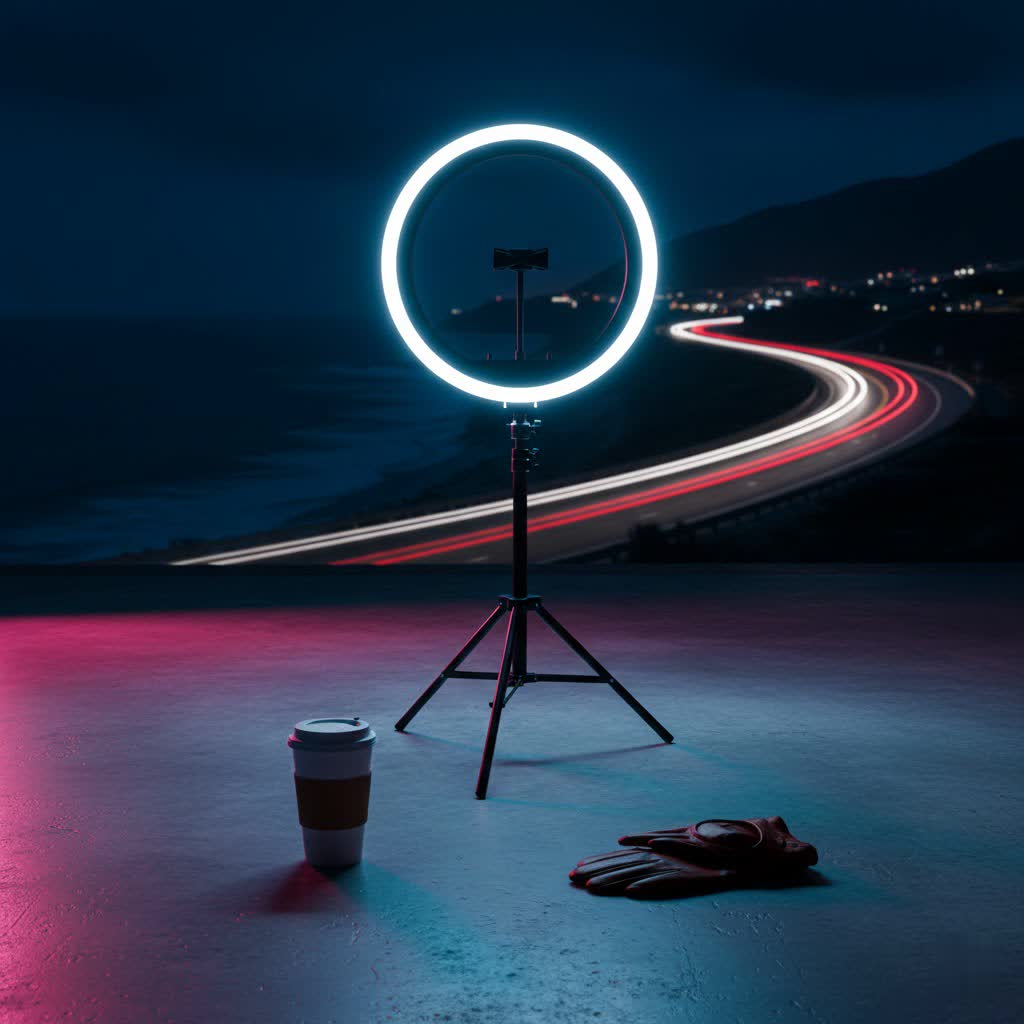
A ring light is a simple yet incredibly effective lighting tool, typically comprising a circular fluorescent or LED light tube designed to emit a soft, even glow. Its defining characteristic is its circular shape, which allows a camera or smartphone to be positioned directly in the center, ensuring uniform illumination across the subject.
The primary benefit of a ring light is its ability to create shadow-free, flattering lighting, making it a favorite across various fields. For content creators, photographers, and makeup artists, it’s essential for achieving professional-grade visuals. In the context of Zoom and video conferencing, a ring light performs several crucial functions. It eliminates harsh shadows that can appear under the eyes, nose, and chin, often caused by overhead or side lighting. This even illumination minimizes blemishes and softens skin texture, presenting a more polished and professional look. Whether you’re presenting to clients, leading a team meeting, or just catching up with friends, a good ring light ensures you look vibrant and engaged, enhancing your overall virtual presence.
Popular Types of Ring Lights on the Market
The market offers a diverse range of ring lights, categorized primarily by size, technology, and features, each catering to different needs and environments. Understanding these types is key to selecting the ideal ring light for your Zoom calls.
When it comes to size, ring lights can be broadly divided into small, medium, and large. Small ring lights (typically 6-10 inches in diameter) are compact and often clip directly onto laptops or smartphones, ideal for tight desk spaces or mobile use. Medium ring lights (10-14 inches) are a versatile choice, offering a good balance of brightness and portability, suitable for most desk setups. Large ring lights (18 inches and above) provide broader and more powerful illumination, often used for professional streaming or situations where you might sit further from the camera.
In terms of technology, most modern ring lights use LED bulbs, known for their energy efficiency, long lifespan, and cool operation. Some older models might use fluorescent bulbs, but LEDs are now dominant due to their superior performance and control.
Features vary significantly and can greatly impact usability. Many ring lights offer adjustable brightness, allowing you to fine-tune the intensity of the light to match your environment. Color temperature control, ranging from warm (around 3200K) to cool daylight (around 6500K), helps you match ambient lighting or achieve a desired look. Additional features may include remote controls for easy adjustments, flexible gooseneck mounts, phone holders integrated into the ring, and USB or battery power options for portability. For Zoom calls, adjustable brightness and color temperature are particularly beneficial for adapting to different lighting conditions throughout the day.
Comparing Different Ring Light Types
Choosing the perfect ring light for Zoom requires a careful comparison of the various types available, weighing their strengths and weaknesses against your specific needs. Different ring lights offer distinct advantages, especially when considering factors like size, power, and functionality.
Detailed Comparison Table
|
Our Picks for the Best Ring Light in 2026
As an Amazon Associate I earn from qualifying purchases.
|
||
| Num | Product | Action |
|---|---|---|
| 1 | Video Conference Lighting for Zoom Meeting, Ring Light for Desk with Flexible Stand, 30 Light Modes Light for Video Recording, Desk Light & Memory Function for Zoom Calls, Video Streaming, Webcam |

|
| 2 | Sensyne 10'' Ring Light with 50'' Extendable Tripod Stand, LED Circle Lights with Phone Holder for Live Stream/Makeup/YouTube Video/TikTok, Compatible with All Phones |
|
| 3 | UBeesize 12'' Selfie Ring Light with 62’’ Tripod Stand for Video Recording, Live Streaming(YouTube, Instagram, TIK Tok), Compatible with Phones, Cameras and Webcams |
|
| 4 | Ring Outdoor Cam Pro, Plug-In (newest model), Home or business security, Retinal 4K with wide-angle video, 10x Enhanced Zoom, and Low-Light Sight, White |
|
| 5 | Ring Floodlight Cam Pro, Wired (newest model), Home or business security, Retinal 4K with wide-angle video, 10x Enhanced Zoom, and 2000 Lumen Floodlights, White |
|
| 6 | CloudValley Magnetic Desktop 10" Ring Light with Battery Display, 5000mAh Overhead Phone Mount, Foldable Portable LED Light with 3 Modes & 10-Level Brightness for Makeup, Selfies, TikTok, YouTube |
|
| 7 | Weilisi 10" Ring Light with Stand 72'' Tall & Phone Holder,38 Color Modes Selfie Light with Tripod Stand,Stepless Dimmable/Speed LED Ring Light for iPhone & Android,YouTube, Makeup,TIK Tok |
|
| 8 | NEEWER Ring Light 18inch Kit: 55W 5600K Professional LED with Stand and Phone Holder, Soft Tube & Bag for Tattoo Lash Extension Barber Makeup Artist Studio Video Photography Lighting, RL-18 |
|
| 9 | Hagibis 21 inch Ring Light with Stand Outer 55W 5600k Dimmable LED Light, Tripod Stand,and Phone Holder,Remote Controller,Carrying Bag ,CRI 97+ 2540lux, for Streaming Home Office Zoom Call Lighting |
|
| 10 | Ring Spotlight Cam Pro, Plug-in (newest model), Home or business security, Retinal 4K with wide-angle video, 10x Enhanced Zoom, and 600 Lumen Spotlights, White |
|
Here’s a detailed comparison to help you evaluate popular ring light types:
| Feature | Small Clip-On (6-10″) | Medium Desktop (10-14″) | Large Freestanding (14″+) |
|---|---|---|---|
| Power Output | Lower (USB powered) | Medium (USB or AC powered) | High (AC powered, some battery) |
| Brightness | Sufficient for close-up selfies/laptops | Good for single person, desk setup | Excellent for broader illumination |
| Color Temp. | Often limited (3 modes) | Usually adjustable (3000K-6500K) | Highly adjustable (3200K-6500K+) |
| Portability | Excellent | Good | Limited |
| Mounting | Clip-on to laptop/phone | Desktop stand, small tripod | Robust tripod, floor stand |
| Price Range | Low | Mid | Mid to High |
| Pros for Zoom | Ultra-portable, space-saving | Versatile, good balance of light | Studio-quality, covers wider area |
| Cons for Zoom | May lack power, limited adjustability | Can take up desk space | Less portable, can be overkill |
Small clip-on ring lights are excellent for travelers or those with minimal desk space, offering basic illumination for quick calls. However, their lower power might not suffice in very dark rooms. Medium-sized desktop ring lights strike a balance, providing ample light for most home office setups and often featuring more comprehensive brightness and color temperature controls. They are a popular choice for daily video conferencing. Large freestanding ring lights, while offering the most powerful and diffused light, are less portable and may be an investment primarily for serious content creators or those who need to illuminate a larger area for presentations or group calls.
Top Reputable Ring Light Brands
When investing in a ring light for Zoom, brand reputation often correlates with quality, durability, and reliable performance. Several manufacturers have established themselves as leaders in the lighting and photography equipment market, offering ring lights that are well-suited for enhancing your video calls.
Among the most highly regarded brands are Neewer, Lume Cube, Logitech (Litra series), and Razer.
- Neewer is known for offering a wide range of ring lights that provide excellent value for money. Their products often feature adjustable brightness, multiple color temperature settings, and sturdy stands, making them a popular choice for beginners and those on a budget. The Neewer 18-inch LED Ring Light kit, for instance, is often praised for its comprehensive accessories and strong output, while smaller Neewer models are great for desktop use.
- Lume Cube specializes in professional-grade portable lighting solutions. Their ring lights, such as the Lume Cube Wireless Ring Light, are lauded for their exceptional brightness, robust build quality, and advanced features like broad color temperature ranges and impressive battery life, catering to users who demand top-tier performance for extended video sessions.
- Logitech, with its Litra Glow and Litra Beam LX series, has made significant inroads into the video conferencing lighting segment. While not always traditional “ring” lights, their panel lights are designed specifically for desk setups, offering features like TrueSoft technology to eliminate eye strain and precise control over brightness and color temperature. The Litra Glow is particularly favored for compact workspaces and its monitor-attachment capability.
- Razer offers a 12-inch ring light that strikes a balance between portability, brightness, and price. It’s often recommended as a sturdy, reliable option for daily video conferencing, vlogging, and streaming, with variable color temperature and a built-in tripod.
These brands consistently receive positive feedback for their commitment to quality and for developing products that genuinely enhance the user’s appearance in virtual environments.
How to Choose the Right Ring Light for Zoom
Selecting the best ring light for your Zoom calls involves more than just picking the first option you see. It requires a thoughtful assessment of your specific needs, budget, and an understanding of key technical specifications to ensure you get a light that truly enhances your virtual presence.
Determine Your Needs
Before diving into specifications, consider how you’ll primarily use the ring light.
- Purpose: Are you using it for professional business meetings, casual chats with friends, livestreaming, or maybe even applying makeup? For professional calls, consistent, flattering light is paramount. For streaming, you might prefer more advanced features like RGB color options.
- Size: How much desk space do you have? If space is limited, a smaller clip-on or desktop model might be ideal. If you have a dedicated workspace and want broader illumination, a larger freestanding light could be better. Consider whether you need portability for travel.
- Features: Do you need precise control over brightness and color temperature? A remote control can be very convenient. Do you need a phone holder for mobile Zoom calls? Make a list of “must-have” versus “nice-to-have” features.
Your Budget is How Much?
Ring lights vary widely in price, from budget-friendly clip-ons under $30 to professional-grade models exceeding $200.
- Entry-level options (under $50) often provide basic illumination with fewer features, suitable for occasional use.
- Mid-range lights ($50-$150) typically offer adjustable brightness, color temperature control, and sturdier builds, providing excellent value for regular Zoom users.
- High-end models ($150+) boast superior brightness, advanced controls (like smart app integration), longer battery life (if portable), and premium construction, catering to demanding users.
Determine what you’re willing to spend, then prioritize features within that price range. Remember that a pricier light often offers better control and durability.
Understand Technical Specifications
Familiarizing yourself with a few key technical terms will help you make an informed decision:
- Power/Brightness (Lumens/Watts): This indicates how bright the light can get. For Zoom calls, you generally want sufficient brightness to illuminate your face without overexposing it. Many lights offer dimmable settings, allowing you to adjust intensity.
- Color Temperature (Kelvin – K): This refers to the color of the light. Lower Kelvin numbers (e.g., 3200K) produce warmer, yellowish light, while higher numbers (e.g., 5600K-6500K) yield cooler, bluish-white light (daylight). The ability to adjust color temperature is crucial for matching ambient room lighting and ensuring natural skin tones. A range of 3200K-5600K is often optimal for versatility.
- Color Rendering Index (CRI): CRI measures how accurately a light source renders colors compared to natural light. A higher CRI (90+) means colors will appear more true-to-life, which is particularly important for makeup artists or anyone wanting accurate color representation on camera. For most Zoom calls, a good CRI enhances your overall appearance.
Read Reviews and Compare Products
Once you have a clearer idea of your needs and budget, delve into product reviews.
- Reputable Sources: Look for reviews from trusted tech websites, photography blogs, and e-commerce platforms. Pay attention to feedback specifically mentioning video calls, Zoom, or similar applications.
- User Experiences: Real-world user experiences can highlight practical pros and cons that specs sheets might miss. Watch out for comments on ease of use, stability of the stand, reflections in glasses, and customer support.
- Comparison: Don’t settle for the first option. Compare 2-3 top contenders based on your criteria, looking at their features, pricing, and overall satisfaction from other users who share similar use cases.
Where to Buy a Ring Light for Zoom?
Finding the right ring light for your Zoom calls is easier than ever, thanks to a wide array of purchasing options both online and in brick-and-mortar stores. Each channel offers its own advantages, so choose the one that best suits your shopping preferences and needs.
Online Retailers:
- Amazon, B&H Photo Video, Adorama, Best Buy: These large online platforms offer the most extensive selections, featuring numerous brands, models, and price points. You’ll find everything from budget-friendly clip-on lights to professional-grade kits. The main advantages include competitive pricing, detailed product descriptions, and a wealth of customer reviews, which are invaluable for making an informed decision.
- Manufacturer Websites: Many brands like Neewer, Lume Cube, and Logitech sell directly from their official websites. This can sometimes offer exclusive bundles, direct customer support, and ensure you’re getting genuine products.
Brick-and-Mortar Stores:
- Electronics Stores (e.g., Best Buy, Micro Center): Visiting a physical store allows you to see the ring lights in person, assess their size, build quality, and test their brightness and color temperature controls. Store staff can also provide immediate assistance and recommendations.
- Specialty Photography/Video Stores: These stores often carry a curated selection of higher-quality lighting equipment and can offer expert advice from staff with deep product knowledge.
Considerations When Buying Online:
- Return Policy: Always check the retailer’s return policy before purchasing, especially if you’re unsure about the size or features of the light.
- Warranty: Verify the warranty offered by the manufacturer or retailer for peace of mind.
- Shipping Costs and Times: Factor in shipping expenses and delivery estimates, especially if you need the ring light quickly.
Regardless of where you purchase, ensure the seller is reputable to guarantee product authenticity and reliable after-sales support.
How to Use and Maintain Your Ring Light for Zoom
Once you’ve acquired your ideal ring light, proper setup and regular maintenance are crucial for maximizing its benefits and ensuring its longevity, especially for consistent use in Zoom calls.
Setting Up Your Ring Light for Zoom:
- Assembly: Most ring lights come with a stand (either desktop or floor-standing) and a power adapter. Follow the manufacturer’s instructions carefully to assemble it. Ensure all connections are secure.
- Placement: The most effective position for a ring light is directly in front of you, with your webcam or laptop camera centered within the ring. This ensures even, shadow-free illumination across your face. Place it approximately an arm’s length (2-3 feet) away to create soft, flattering light. Positioning the light too close can result in harshness, while too far may not provide enough illumination.
- Height and Angle: Position the ring light at eye level or slightly above, tilting it slightly downwards. This angle helps reduce shadows under your eyes and chin, creating a more flattering look. You can use your computer’s camera preview (often available within Zoom or your operating system’s camera app) to fine-tune the height and angle.
- Brightness and Color Temperature: Start with a medium brightness setting and adjust it based on the ambient lighting in your room. The goal is to balance the light on your face with your background without overexposing your features or making the background too dark. For color temperature, aim for a natural, daylight-like setting (around 4500K-5000K) to avoid an overly warm or cool appearance. Experiment to find what looks best with your skin tone and room’s lighting.
- Addressing Reflections (if wearing glasses): If you wear glasses and experience distracting reflections, try raising the light slightly higher and moving it slightly to the side (up to 45 degrees off-center). This can often minimize or eliminate the glare without significantly compromising illumination.
Maintaining Your Ring Light:
- Cleaning: Regularly dust the light and wipe down the diffusion panel with a soft, dry, lint-free cloth to prevent dust buildup from affecting light output. Avoid harsh chemicals that could damage the plastic or LED components.
- Cable Management: Keep power cords tidy and out of the way to prevent tripping hazards or accidental disconnections. Avoid bending cables sharply, which can damage internal wires.
- Storage: When not in use, especially if it’s a portable model, store your ring light in its original packaging or a protective carrying case to shield it from dust and physical damage.
- Battery Care (for battery-powered models): If your ring light uses rechargeable batteries, follow the manufacturer’s guidelines for charging and storage to extend battery life. Avoid fully draining or overcharging them consistently.
- Handle with Care: Ring lights, especially larger ones, can be delicate. Avoid sudden movements or drops that could damage the bulbs or internal components.
By following these simple guidelines for setup and maintenance, your ring light will consistently provide optimal lighting for all your Zoom calls, helping you look your best every time.
Common Issues When Using a Ring Light for Zoom and How to Fix Them
Even with the best ring light, users can encounter a few common challenges during Zoom calls. Knowing how to quickly troubleshoot these issues can save you time and ensure you maintain a professional appearance.
- Overexposure or Washed-Out Look: If your face appears too bright, blown out, or your features are lost, the light is likely too intense.
- Fix: Reduce the brightness setting on your ring light. If it’s still too bright, try moving the ring light a bit further away from your face. Start at a low brightness and gradually increase it until you achieve a balanced look.
- Harsh Shadows or Uneven Lighting: Despite the ring light’s design for even illumination, you might still see shadows under your chin or eyes, or one side of your face might be brighter than the other.
- Fix: Ensure the ring light is positioned directly in front of you, with your camera perfectly centered within the ring. Adjust the height so the light is at eye level or slightly above, tilting it gently downwards to eliminate under-eye/chin shadows. Make sure the light is an arm’s length away for optimal softness.
- Glare or Reflections in Glasses: This is a very common issue for those who wear spectacles, leading to distracting bright circles in your lenses.
- Fix: The primary solution is to raise the ring light slightly higher and tilt it downwards more aggressively. You can also try moving the light slightly off-center (a few inches to either side) or increasing the distance between yourself and the light. Experiment with small adjustments while viewing your camera’s preview to find the sweet spot that minimizes glare.
- Unnatural Skin Tones (Too Warm/Too Cool): Your skin might appear overly orange (too warm) or bluish (too cool) on camera, making you look unwell or unprofessional.
- Fix: Adjust the color temperature setting on your ring light. Move towards a cooler (higher Kelvin) setting if you look too orange, and towards a warmer (lower Kelvin) setting if you look too blue. Aim for a neutral, daylight-like color temperature (typically 4500K-5000K) that complements your natural skin tone and ambient room lighting.
- Background Too Dark: If your face is perfectly lit but your background disappears into darkness, it creates an unflattering “floating head” effect.
- Fix: While the ring light primarily illuminates you, you may need to add some ambient light to your background. A small lamp positioned behind you (out of frame) with a softer bulb can help balance the scene. If your camera has exposure settings, you might adjust those to brighten the overall image slightly.
- Flickering Light: This can be distracting and unprofessional during a call.
- Fix: Check your power source. Ensure the ring light is securely plugged in, and if it’s USB-powered, try a different USB port or power adapter. If running on batteries, check their charge level or replace them. Flickering can also sometimes be caused by incompatible dimmer switches if you’re using a light not designed for external dimming.
By systematically addressing these common issues, you can ensure your ring light setup consistently provides you with excellent, professional-looking illumination for all your Zoom encounters.
Conclusion
Mastering your virtual appearance for Zoom calls is no longer a luxury but a necessity in today’s digital landscape, and a ring light is undoubtedly one of the most impactful tools at your disposal. From eliminating unflattering shadows and softening your features to ensuring vibrant, natural skin tones, a well-chosen and properly utilized ring light can dramatically elevate your presence and confidence in any online meeting.
Remember to consider your specific needs, budget, and key technical specifications like brightness and color temperature when making your choice. Take the time to set up your ring light correctly—positioning it at eye level, an arm’s length away, and adjusting settings to suit your environment—and don’t be afraid to troubleshoot common issues like reflections or unnatural tones. With these insights, you’re not just buying a light; you’re investing in a more polished, professional, and confident virtual you.
What aspect of your virtual presence do you find most challenging, and how do you think a ring light could help?
Frequently Asked Questions
What size ring light is best for Zoom calls?
For most Zoom calls, a medium-sized ring light (10-14 inches in diameter) offers the best balance of coverage and desk space. Smaller clip-on lights are great for portability and laptops, while larger lights (18+ inches) are better for professional setups where you sit further from the camera or need broader illumination.
Where should I place a ring light for optimal Zoom lighting?
Position your ring light directly in front of you, with your webcam or laptop camera centered within the ring. Place it approximately an arm’s length (2-3 feet) away at eye level or slightly above, tilted gently downwards. This setup ensures even, shadow-free illumination that flatters your face.
How do I prevent ring light reflections in my glasses during a Zoom call?
To minimize glare in glasses, raise the ring light slightly higher and tilt it downwards more. You can also try moving the light a few inches off-center. Experiment with small adjustments while viewing your camera’s preview to find the angle that reduces reflections effectively.
What color temperature is ideal for ring lights in Zoom meetings?
For natural-looking illumination, aim for a color temperature between 4500K and 5000K (Kelvin). This range mimics natural daylight and typically provides the most flattering and true-to-life skin tones, avoiding overly warm (yellowish) or cool (bluish) appearances.
Can I use a ring light with my phone for Zoom calls?
Yes, many ring lights, especially smaller and medium-sized models, come with integrated phone holders that allow you to mount your smartphone directly in the center of the ring. This setup is excellent for mobile Zoom calls, ensuring you receive consistent, flattering light.
