In today’s digital age, where video calls, virtual meetings, and online content creation are part of our daily lives, presenting your best self on screen is more important than ever. Poor lighting can make you look tired, cast unflattering shadows, and detract from your professional image. This is where a ring light for your laptop becomes an indispensable tool. Designed to provide soft, even illumination, a dedicated ring light can dramatically enhance your on-screen appearance, making you look vibrant, clear, and professional. This comprehensive guide will walk you through everything you need to know about selecting, using, and maintaining the perfect ring light for your laptop setup.
What is a Ring Light for Laptops? And Why Do You Need One?
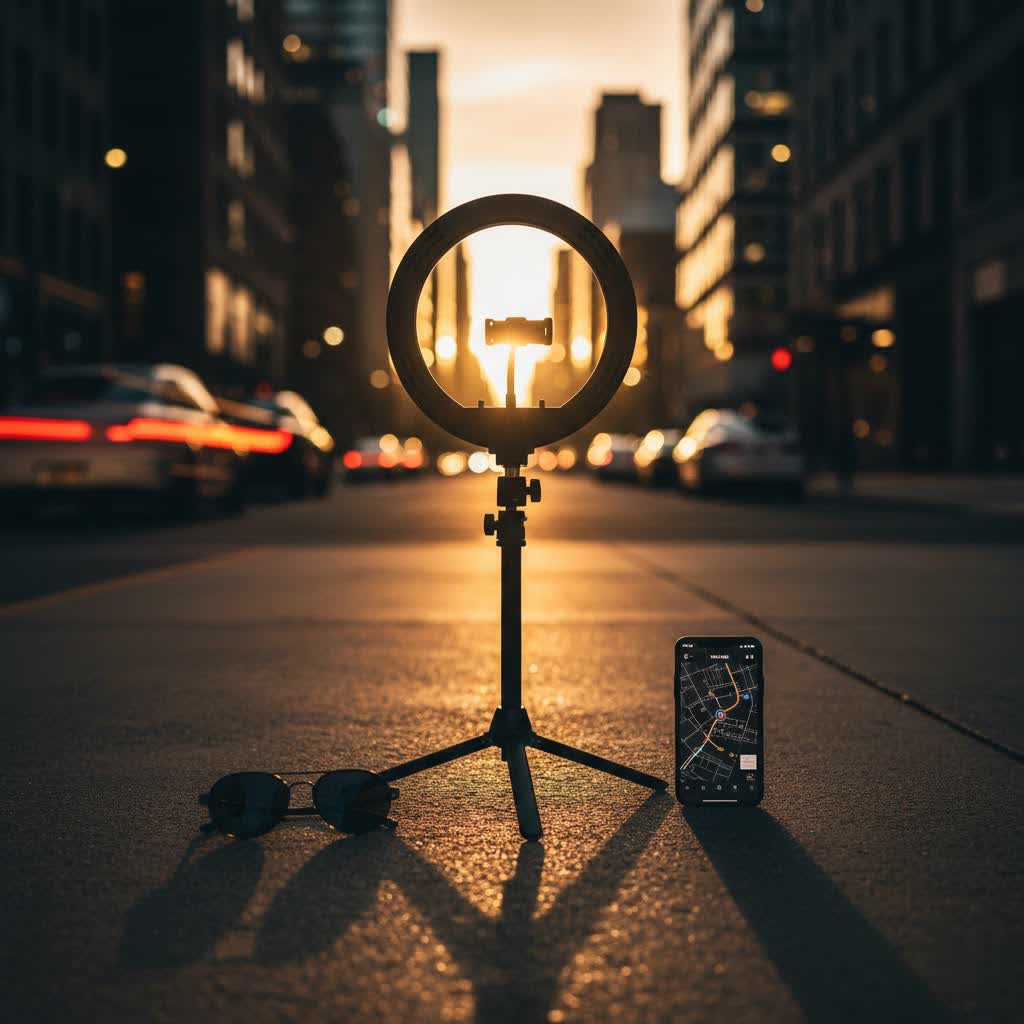
A ring light is a circular lighting device with LED bulbs arranged in a ring shape. When used with a laptop, it’s typically positioned to illuminate your face directly and evenly, creating a flattering glow. The unique circular design ensures that light is distributed uniformly, effectively minimizing harsh shadows and providing a soft, natural look that is hard to achieve with overhead or side lighting alone.
For laptop users, the benefits are clear and significant. Firstly, a ring light drastically improves your appearance in video conferencing, making you look more professional and engaged during important meetings or interviews. Secondly, for streamers and content creators, it ensures consistent, high-quality lighting, which is crucial for audience retention and brand image. It also helps to reduce eye strain from staring at a screen in a dimly lit room, as it balances the light in your environment. Ultimately, a laptop ring light elevates your visual presence, boosting confidence and leaving a lasting positive impression.
Popular Types of Ring Lights for Laptops
When it comes to ring lights suitable for laptops, the market offers several types, each with unique characteristics catering to different needs and setups. Understanding these variations is key to making an informed choice.
Clip-on Ring Lights
These are the most compact and portable options, designed to attach directly to your laptop screen, monitor, or even your phone. They are typically smaller in diameter, ranging from 3 to 6 inches, and often powered via USB or a built-in rechargeable battery. Their primary advantage is their ultra-portability and minimal footprint, making them ideal for individuals who work on the go, in cafes, or have limited desk space. They provide quick and easy illumination for impromptu video calls or selfies.
Tabletop Ring Lights
Slightly larger than clip-on models, tabletop ring lights usually come with a small, adjustable tripod stand. These lights range from 8 to 12 inches in diameter and offer more robust lighting power and stability. They are typically USB-powered and are a great choice for a dedicated home office or desk setup where portability is less of a concern than consistent, high-quality illumination. Their stands allow for precise positioning, ensuring the light hits your face at the optimal angle.
While larger ring lights (14 inches and above) with floor stands exist, they are generally designed for professional photography studios or dedicated streaming rooms rather than direct laptop integration. For laptop use, the focus remains on compact, easily manageable solutions that enhance your webcam feed without overwhelming your workspace.
Comparing Ring Lights for Laptop Use
Choosing the right ring light involves weighing various factors. Below is a detailed comparison to help you understand the nuances between different types suitable for laptops.
Detailed Comparison Table
|
Our Picks for the Best Ring Light in 2026
As an Amazon Associate I earn from qualifying purchases.
|
||
| Num | Product | Action |
|---|---|---|
| 1 | Weilisi 10" Ring Light with Stand 72'' Tall & Phone Holder,38 Color Modes Selfie Light with Tripod Stand,Stepless Dimmable/Speed LED Ring Light for iPhone & Android,YouTube, Makeup,TIK Tok |

|
| 2 | Sensyne 10'' Ring Light with 50'' Extendable Tripod Stand, LED Circle Lights with Phone Holder for Live Stream/Makeup/YouTube Video/TikTok, Compatible with All Phones |
|
| 3 | Hagibis 21 inch Ring Light with Stand Outer 55W 5600k Dimmable LED Light, Tripod Stand,and Phone Holder,Remote Controller,Carrying Bag ,CRI 97+ 2540lux, for Streaming Home Office Zoom Call Lighting |
|
| 4 | UBeesize 12'' Selfie Ring Light with 62’’ Tripod Stand for Video Recording, Live Streaming(YouTube, Instagram, TIK Tok), Compatible with Phones, Cameras and Webcams |
|
| 5 | Video Conference Lighting for Zoom Meeting, Ring Light for Desk with Flexible Stand, 30 Light Modes Light for Video Recording, Desk Light & Memory Function for Zoom Calls, Video Streaming, Webcam |
|
| 6 | Ring Outdoor Cam Pro, Plug-In (newest model), Home or business security, Retinal 4K with wide-angle video, 10x Enhanced Zoom, and Low-Light Sight, White |
|
| 7 | CloudValley Magnetic Desktop 10" Ring Light with Battery Display, 5000mAh Overhead Phone Mount, Foldable Portable LED Light with 3 Modes & 10-Level Brightness for Makeup, Selfies, TikTok, YouTube |
|
| 8 | NEEWER Ring Light 18inch Kit: 55W 5600K Professional LED with Stand and Phone Holder, Soft Tube & Bag for Tattoo Lash Extension Barber Makeup Artist Studio Video Photography Lighting, RL-18 |
|
| 9 | Ring Floodlight Cam Pro, Wired (newest model), Home or business security, Retinal 4K with wide-angle video, 10x Enhanced Zoom, and 2000 Lumen Floodlights, White |
|
| 10 | Ring Spotlight Cam Pro, Plug-in (newest model), Home or business security, Retinal 4K with wide-angle video, 10x Enhanced Zoom, and 600 Lumen Spotlights, White |
|
| Feature | Clip-on Ring Light | Tabletop Ring Light |
|---|---|---|
| Size | Small (3-6 inches diameter) | Medium (8-12 inches diameter) |
| Power Source | USB (often rechargeable battery built-in) | USB (often with inline controls) |
| Brightness | Good for close-up, often 3-5 levels adjustable | Very good, often 10+ levels adjustable |
| Color Temperature | Often 3 modes (warm, cool, natural) | Often 3-5 modes (warm, cool, natural, daylight) |
| Mounting | Clip-on directly to laptop screen/webcam | Small tripod stand, sometimes desk clamp |
| Portability | Excellent, pocket-sized | Good, fits in a backpack |
| Best Use Case | Mobile use, quick video calls, low desk space | Dedicated desk setup, streaming, content creation |
| Price Range | Budget-friendly | Mid-range |
| Pros | Highly portable, discreet, easy to set up | More stable, brighter, better control over settings |
| Cons | Less powerful, may block screen edge slightly | Less portable, requires desk space |
This table highlights that clip-on lights prioritize convenience and portability, while tabletop models offer enhanced lighting performance and stability for more stationary setups.
Top Ring Light Brands for Laptops
Several brands have established a reputation for producing reliable and effective ring lights that cater to laptop users. When considering a purchase, looking into these reputable names can guide you towards quality products.
- QIAYA: Known for its compact and affordable clip-on ring lights, QIAYA offers models that are popular for Zoom calls and general selfie enhancement, often featuring rechargeable batteries and adjustable brightness.
- UBeesize: A widely recognized brand in the ring light market, UBeesize provides a range of options, including versatile tabletop ring lights with sturdy tripods and excellent brightness and color temperature controls. Their products are often praised for their value and performance.
- Razer: While famous for gaming peripherals, Razer also offers a 12-inch ring light that, while larger than typical clip-ons, is USB-powered and a strong contender for desk setups where a laptop is primary. It’s known for its robust build and consistent lighting quality.
- Xinbaohong: This brand is often associated with extremely portable, clip-on selfie lights that are perfect for quick enhancements on laptops, tablets, and phones. They are celebrated for their simplicity and effectiveness in small packages.
- Lume Cube: A more premium brand, Lume Cube offers high-performance ring lights, including models that are cordless and designed for both professional content creation and high-quality video conferencing. They often come with superior battery life and color accuracy.
These brands consistently receive positive feedback for their durability, lighting quality, and user-friendly features, making them excellent starting points for your research.
How to Choose the Right Ring Light for Your Laptop
Selecting the perfect ring light involves more than just picking the first one you see. A thoughtful approach ensures you get a device that perfectly aligns with your specific needs and setup.
Determine Your Needs
The first step is to clarify your primary use case. Are you mainly using it for daily video conferences for work or school? In that scenario, a discreet clip-on or small tabletop light might suffice. If you’re a content creator, streamer, or participate in frequent online events, you might need a brighter, more versatile tabletop model with advanced controls. Consider your workspace: do you have ample desk space for a stand, or do you need something that clips directly onto your laptop screen for maximum portability and minimal footprint? Think about how often you’ll move the light – will it stay put, or will it travel with you?
Set Your Budget
Ring lights for laptops come in a wide price range. Basic clip-on models can be very affordable, often under $20-$30, while more advanced tabletop lights with extra features and better build quality might range from $40 to $100+. Premium options, especially from photography-centric brands, can go even higher. Establish how much you’re willing to invest, but remember that a slightly higher initial cost can often mean better durability, performance, and features in the long run.
Understand Key Specifications
Delving into the technical specifications will help you differentiate between products and ensure you get the performance you expect.
- Brightness/Power (Lumens/Watts): This indicates how powerful the light output is. Measured in lumens or wattage, higher numbers mean a brighter light. Many ring lights offer multiple brightness levels, allowing you to adjust the intensity based on your environment and preference. For laptop use, look for options with at least 3-10 adjustable levels.
- Color Temperature (Kelvin): This refers to the “warmth” or “coolness” of the light, measured in Kelvin (K). Lower Kelvin values (e.g., 3000K) produce a warm, yellowish light, while higher values (e.g., 5500K-6500K) create a cool, bluish-white light. “Daylight” is typically around 5000K-5600K. Many laptop ring lights offer adjustable color temperatures (often 3 modes: warm, cool, natural) to match different ambient lighting conditions or create specific moods.
- Color Rendering Index (CRI): CRI measures how accurately a light source reveals the true colors of objects compared to natural daylight. A higher CRI (ideally 90+) means colors will appear more vibrant and natural on camera. This is particularly important for makeup artists, product reviewers, or anyone whose on-screen color accuracy is critical.
- Power Source: Most laptop-friendly ring lights are USB-powered, meaning they can draw power directly from your laptop’s USB port, a power bank, or a wall adapter. Some also include built-in rechargeable batteries, offering cordless operation for enhanced portability. Consider which power source best suits your mobility needs.
- Mounting Mechanism: For laptops, common mounting options include clip-on designs that attach to your screen bezel or small tripod stands for desktop placement. Ensure the clip mechanism is gentle and won’t damage your screen, and that any tripod is stable enough for your setup.
Read Reviews and Compare Products
Before making a final decision, always dedicate time to reading reviews from other users and comparing different models. Look for feedback specifically from individuals using the ring light with a laptop. Pay attention to comments regarding brightness, battery life, ease of use, build quality, and customer service. Comparison videos and articles can also provide valuable real-world insights into a product’s performance and suitability for your needs. This research can often highlight potential pitfalls or unexpected benefits that specifications alone might not reveal.
Where to Purchase Your Laptop Ring Light
Once you’ve identified the ideal ring light for your laptop, knowing where to buy it ensures you get a genuine product with good customer support.
Major online retailers like Amazon, B&H Photo Video, and Best Buy are excellent places to start. They offer a vast selection, competitive pricing, and often user reviews that can help solidify your decision. Many ring light brands also sell directly from their official websites, which can sometimes provide exclusive deals or direct customer support. For those who prefer to see the product in person, local electronics stores or photography equipment shops might carry a limited selection.
When purchasing online, always verify the seller’s reputation and check their return and warranty policies. Ensure the product listing clearly states compatibility with laptops and details all relevant specifications. This proactive approach helps protect your investment and ensures a smooth buying experience.
Using and Maintaining Your Laptop Ring Light
Getting the most out of your ring light involves proper setup and regular care.
Proper Placement: For optimal lighting, position the ring light directly in front of you, centered with your webcam. This ensures even illumination across your face, minimizing shadows and creating that desirable “halo” effect in your eyes. If using a clip-on, ensure it doesn’t obstruct your camera. For tabletop models, adjust the height and angle so the light is at eye level or slightly above, shining directly at you. Experiment with distance; moving the light closer will increase its intensity, while moving it further back will soften the effect.
Adjusting Settings: Most ring lights offer adjustable brightness and color temperature.
- Brightness: Start with a lower setting and gradually increase it until your face is well-lit without looking overexposed. You want a natural glow, not a harsh spotlight.
- Color Temperature: Choose a color temperature that matches your ambient room lighting. A warmer light (lower Kelvin) can be more flattering in a cozy room, while a cooler or daylight setting (higher Kelvin) is great for mimicking natural light or matching brighter environments. Experiment to see what makes your skin tone look best.
Care and Storage: To prolong the life of your ring light, store it in a clean, dry place away from extreme temperatures. If it comes with a carrying case, use it to protect the light from dust and physical damage. Gently wipe the LED surface with a soft, dry cloth to remove any dust or fingerprints that could affect light output. Avoid using harsh chemicals or abrasive materials. If your light has a rechargeable battery, follow the manufacturer’s guidelines for charging and discharge cycles to maintain battery health.
Common Issues and Troubleshooting with Laptop Ring Lights
Even the best ring lights can sometimes present minor challenges. Knowing how to troubleshoot common issues can save you time and frustration.
- Not Bright Enough:
- Check power source: Ensure it’s fully charged (if battery-powered) or connected to a sufficient USB port/power adapter. Some laptop USB ports might not provide enough power for maximum brightness. Try a different port or a wall adapter.
- Adjust settings: Increase the brightness level on the light’s controls.
- Distance: Move the light closer to your face.
- Wrong Color Temperature:
- Adjust settings: Cycle through the available color temperature modes (warm, cool, natural) until you find one that complements your skin tone and environment.
- Glare on Glasses:
- Adjust angle: Slightly tilt the ring light up or down, or move it slightly to the side (while still maintaining good illumination) to find an angle where the glare disappears from your glasses.
- Increase distance: Moving the light slightly further away can sometimes reduce glare.
- Reduce brightness: Lowering the intensity can also help.
- Flickering Light:
- Power source: Ensure a stable power connection. Try a different USB cable or adapter.
- Faulty unit: If flickering persists, the unit itself might be defective and could require replacement.
- Poor Mounting/Stability:
- Clip-on: Ensure the clip is securely fastened without blocking the webcam or applying excessive pressure to the screen.
- Tabletop: Make sure the tripod legs are fully extended and stable on a flat surface.
- Weight limits: If mounting a phone or camera, ensure it’s within the mount’s weight capacity.
Most common issues can be resolved with simple adjustments. If problems persist, referring to the product manual or contacting customer support is advisable.
Conclusion
A ring light for your laptop is more than just an accessory; it’s an essential tool for anyone who frequently engages with a webcam. From enhancing your professional appearance in video calls to elevating the quality of your content, the right illumination can make a world of difference. By understanding the different types, key specifications, and top brands, you can confidently select a ring light that perfectly fits your needs and budget. Remember to consider factors like portability, adjustable brightness and color temperature, and power source to ensure optimal performance. With proper placement, settings adjustment, and care, your laptop ring light will provide consistent, flattering light, helping you always put your best face forward in the digital realm.
What positive impacts has a good ring light had on your online presence or work-from-home setup?
Frequently Asked Questions
Are clip-on ring lights good for laptops?
Yes, clip-on ring lights are excellent for laptops, especially for users prioritizing portability and minimal desk space. They attach directly to your screen or webcam, providing convenient, focused illumination for video calls, selfies, and quick content creation, often powered by USB or a built-in battery.
How big should a ring light for a laptop be?
For direct laptop use, a ring light typically ranges from 3 to 12 inches in diameter. Clip-on models are usually 3-6 inches for maximum portability, while tabletop versions can be 8-12 inches, offering more light output and stability without being overly cumbersome for a desk setup.
Can I power a ring light from my laptop’s USB port?
Most laptop-compatible ring lights are designed to be powered via a USB port. This allows for convenient use without needing an extra wall outlet. However, ensure your laptop’s USB port provides sufficient power, or consider using a dedicated USB wall adapter or power bank for maximum brightness and stable performance.
What is the ideal color temperature for video calls?
The ideal color temperature for video calls often depends on your room’s ambient lighting, but a natural white light (around 5000K-5600K) is generally preferred as it mimics daylight and makes skin tones appear true-to-life. Many ring lights offer adjustable settings, allowing you to choose between warmer (3000K) or cooler (6500K) tones to match your environment.
How do I avoid glare on my glasses with a ring light?
To minimize glare on glasses, try adjusting the ring light’s angle by tilting it slightly up or down, or moving it a small distance to the side while keeping it centered with your face. Reducing the light’s brightness or increasing the distance between you and the light can also help diffuse the reflection, making it less noticeable.
