In today’s digital world, where virtual meetings, online content creation, and remote work are commonplace, your on-screen appearance matters more than ever. Ever wondered how some people always look perfectly lit and professional during video calls or livestreams? The secret often lies in a simple yet powerful tool: a ring light for your computer. This comprehensive guide will illuminate everything you need to know, helping you select the perfect ring light to enhance your digital presence and stand out in every online interaction.
What is a Ring Light for Your Computer and What are Its Uses?
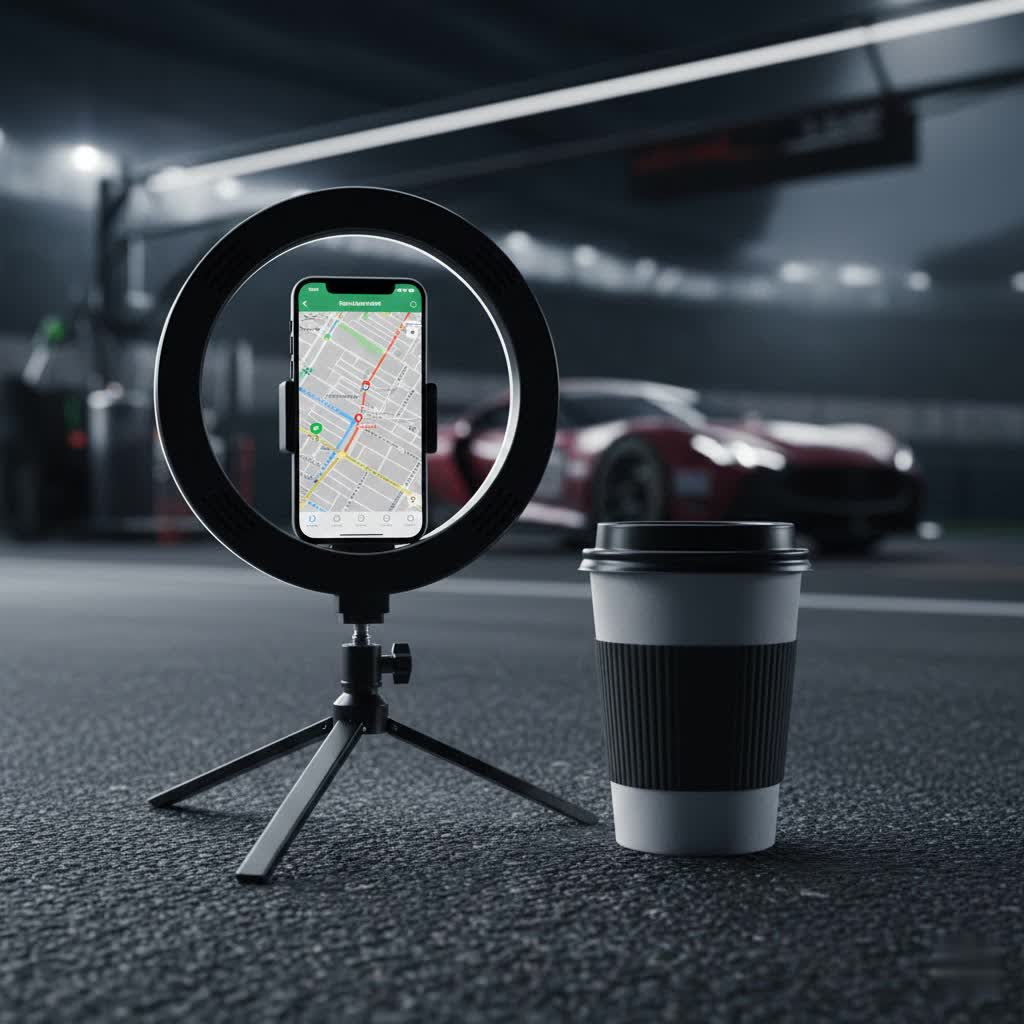
A ring light for your computer is a circular lighting device designed to provide uniform, shadow-reducing illumination directly onto your face or subject. Unlike traditional light sources, its unique circular shape ensures even light distribution, minimizing harsh shadows and creating a soft, flattering glow. This design is particularly effective when a camera, such as a webcam or smartphone, is placed directly in the center of the ring.
The utility of a ring light extends across various digital activities. For video conferencing, it ensures you appear bright and clear, enhancing professionalism in important business calls or virtual meetings. For content creators, including streamers and YouTubers, it’s indispensable for producing high-quality video with professional-grade lighting, making skin tones look natural and eyes sparkle with a “halo” effect. Beyond these, makeup artists use them to achieve optimal lighting for tutorials, while anyone taking selfies or product photos can benefit from the balanced, flattering light they provide.
Popular Types of Ring Lights on the Market
Ring lights designed for computer use come in several forms, each catering to different needs and setups. Understanding these types will help you narrow down your options.
- Clip-On Ring Lights: These are typically small, lightweight, and designed to attach directly to your laptop screen or monitor. They are highly portable and ideal for users who need a quick lighting solution on the go or have limited desk space.
- Desktop Ring Lights with Stands: A step up in size and stability, these come with a small tripod or desk clamp that allows them to stand freely on your desk. They offer more flexibility in positioning and are suitable for more permanent setups.
- Larger Ring Lights with Floor Stands: While often associated with professional photography and videography, some larger models (10-22 inches) can be adapted for computer use, especially if you have ample space. These typically come with adjustable floor stands and offer more powerful and diffused lighting. They are less common for direct computer attachment but provide superior illumination for broader scenes or full-body shots if your setup allows.
- Integrated Webcam Ring Lights: Some webcams, like the Razer Kiyo, have a ring light built directly around the lens. These all-in-one solutions offer convenience and a compact design, although the integrated light may be less powerful or customizable than a dedicated unit.
- LED Panels (Fill Lights): While not strictly “ring lights,” LED panels like the Logitech Litra Glow or Razer Key Light are often considered alternatives for computer lighting. These are rectangular or square and focus on providing a broad, soft fill light for your face, often mounting directly on top of a monitor. They excel at shadow reduction and offer strong brightness and color temperature control, making them a popular choice for serious streamers and work-from-home professionals.
These categories highlight the diversity available, from ultra-portable clips to more robust, semi-permanent desktop solutions.
Comparing Different Ring Light Types
Choosing the right ring light for your computer means weighing various factors. Here’s a comparison to help illustrate the differences between common types:
| Feature | Clip-On Ring Light | Desktop Ring Light with Stand | LED Panel (Fill Light) |
|---|---|---|---|
| Size | Small (3-6 inches) | Medium (6-14 inches) | Compact to Medium (square/rectangular) |
| Power Output | Lower (USB-powered) | Medium (USB or AC-powered) | Medium to High (USB or AC-powered) |
| Brightness | Adequate for close-ups | Good for personal use | Excellent, broad illumination |
| Color Temp. | Limited presets (e.g., 3 modes) | Adjustable (dials/presets) | Highly adjustable (dials/software) |
| Price Range | $10 – $30 | $30 – $100 | $50 – $300+ |
| Portability | Excellent | Good | Good (some models) |
| Mounting | Clips onto screen/device | Small tripod, desk clamp | Monitor clip, desk clamp, tripod thread |
| Pros | Highly portable, affordable, easy to set up | Better stability, more control, versatile | Superior light quality, software control, no “ring” reflection |
| Cons | Less powerful, limited adjustability, may block screen corners | Takes up desk space, can be less portable | Can be more expensive, some are not “ring” shaped |
> “The goal is flattering, uniform illumination, not just brightness. Consider how the light shapes your face and eliminates harsh shadows.” – Admin, reviewubon.com
Top Ring Light Brands for Computer Users
Several brands have established themselves as leaders in the computer ring light and video lighting market. Here are some highly regarded options:
- Logitech: Known for its “Litra Glow,” Logitech offers compact, square-shaped fill lights that mount easily on monitors. They provide excellent color accuracy and software control via Logitech G Hub, making them ideal for professional video calls and streams.
- Razer: While famous for gaming peripherals, Razer also produces the “Razer Ring Light” and “Razer Key Light Chroma.” Their ring lights offer good brightness and color temperature options, often with USB-A connectivity for PCs. The Key Light Chroma is a powerful LED panel with extensive RGB color control and app integration for serious streamers.
- Lume Cube: This brand focuses on portable and powerful lighting solutions. Their “Lume Cube 12-inch Cordless Ring Light” emphasizes portability with battery power and a carry case, while their “Broadcast Lighting Kit” offers a compact LED panel for enhanced webcam lighting.
- Neewer: A popular choice for budget-friendly yet effective lighting, Neewer offers a range of ring lights in various sizes (e.g., 18-inch, 20-inch). They often come with versatile stands and good brightness levels, making them suitable for content creators looking for value.
- ESDDI: Another brand offering strong performance for its price, ESDDI has ring lights like their 10-inch and 18-inch models. They provide adjustable color temperature and dimming, often with tabletop designs perfect for laptop and desktop use.
- Xinbaohong: Particularly noted for small, clip-on selfie lights, Xinbaohong offers ultra-portable, USB-rechargeable options that are perfect for quick enhancements to laptop webcams or smartphone use.
These brands provide a spectrum of choices, from compact and affordable to high-end professional setups, ensuring there’s a solution for nearly every computer user’s need.
How to Choose the Right Ring Light for Your Computer
Selecting the ideal ring light involves assessing your specific needs and understanding key technical specifications.
Determine Your Usage Needs
|
Our Picks for the Best Ring Light in 2026
As an Amazon Associate I earn from qualifying purchases.
|
||
| Num | Product | Action |
|---|---|---|
| 1 | UBeesize 12'' Selfie Ring Light with 62’’ Tripod Stand for Video Recording, Live Streaming(YouTube, Instagram, TIK Tok), Compatible with Phones, Cameras and Webcams |

|
| 2 | Weilisi 10" Ring Light with Stand 72'' Tall & Phone Holder,38 Color Modes Selfie Light with Tripod Stand,Stepless Dimmable/Speed LED Ring Light for iPhone & Android,YouTube, Makeup,TIK Tok |
|
| 3 | Video Conference Lighting for Zoom Meeting, Ring Light for Desk with Flexible Stand, 30 Light Modes Light for Video Recording, Desk Light & Memory Function for Zoom Calls, Video Streaming, Webcam |
|
| 4 | Ring Outdoor Cam Pro, Plug-In (newest model), Home or business security, Retinal 4K with wide-angle video, 10x Enhanced Zoom, and Low-Light Sight, White |
|
| 5 | Ring Floodlight Cam Pro, Wired (newest model), Home or business security, Retinal 4K with wide-angle video, 10x Enhanced Zoom, and 2000 Lumen Floodlights, White |
|
| 6 | Hagibis 21 inch Ring Light with Stand Outer 55W 5600k Dimmable LED Light, Tripod Stand,and Phone Holder,Remote Controller,Carrying Bag ,CRI 97+ 2540lux, for Streaming Home Office Zoom Call Lighting |
|
| 7 | Sensyne 10'' Ring Light with 50'' Extendable Tripod Stand, LED Circle Lights with Phone Holder for Live Stream/Makeup/YouTube Video/TikTok, Compatible with All Phones |
|
| 8 | NEEWER Ring Light 18inch Kit: 55W 5600K Professional LED with Stand and Phone Holder, Soft Tube & Bag for Tattoo Lash Extension Barber Makeup Artist Studio Video Photography Lighting, RL-18 |
|
| 9 | CloudValley Magnetic Desktop 10" Ring Light with Battery Display, 5000mAh Overhead Phone Mount, Foldable Portable LED Light with 3 Modes & 10-Level Brightness for Makeup, Selfies, TikTok, YouTube |
|
| 10 | Ring Spotlight Cam Pro, Plug-in (newest model), Home or business security, Retinal 4K with wide-angle video, 10x Enhanced Zoom, and 600 Lumen Spotlights, White |
|
First, clarify why you need a ring light. Are you primarily using it for video calls for work, ensuring you always look professional? Or are you an aspiring streamer or content creator who needs consistent, high-quality illumination for engaging videos? Perhaps you simply want better lighting for casual chats or selfies. Consider the environment: will you be using it in a fixed home office, or do you need a portable solution for different locations? The answers to these questions will guide your size and feature requirements.
Set Your Budget
Ring lights vary widely in price, from under $20 for basic clip-on models to over $300 for professional-grade LED panels. Define how much you’re willing to invest. Remember that a higher price often correlates with more advanced features, greater durability, and superior light quality, but excellent options exist across all price points.
Understand Key Technical Specifications
Beyond basic types, several technical specifications dictate a ring light’s performance:
- Power (Wattage/Lumens): This indicates the brightness of the light. Higher wattage (for AC-powered) or lumens (for LED lights) means a brighter output. For computer use, you typically don’t need extremely high power, but sufficient brightness to overcome ambient room light is crucial.
- Color Temperature (Kelvin – K): This refers to the warmth or coolness of the light. A lower Kelvin number (e.g., 2700K-3200K) produces a warm, yellowish light, while a higher number (e.g., 5500K-6500K) results in a cool, bluish-white light. Look for models offering adjustable color temperature to match your environment or desired aesthetic. Most quality ring lights offer a range between 3200K (warm white) and 5600K (cool white).
- Dimming Range: The ability to adjust brightness levels is vital. A wider dimming range (e.g., 1% to 100%) offers greater flexibility to adapt to different lighting conditions and prevent overexposure.
- Color Rendering Index (CRI): This measures how accurately a light source renders colors compared to natural daylight. A higher CRI (typically 90+) means colors will appear more true-to-life, which is especially important for makeup tutorials, product reviews, or any content where color accuracy is key.
- Mounting Options: Consider how the light attaches to your setup. Options include clip-on designs for laptops/monitors, small desktop tripods, or desk clamps. Some larger ring lights use floor stands or have threaded mounts compatible with standard camera tripods. Choose one that fits your workspace and camera (webcam, phone, or dedicated camera).
- Power Source: Most computer ring lights are USB-powered, making them convenient for plugging into a computer or power adapter. Others might be battery-powered for portability or AC-powered for higher output.
Read Reviews and Compare Products
Before making a final decision, always read expert reviews and user testimonials. Pay attention to feedback on light quality, ease of use, stability, and durability. Comparison tables, like the one provided earlier, can help you weigh the pros and cons of different models and brands side-by-side.
Where to Buy Ring Lights for Your Computer
Finding the right ring light for your computer is easier than ever, with numerous reputable channels available.
Online Retailers:
- Amazon: Offers an unparalleled selection from various brands, often with competitive pricing, customer reviews, and fast shipping.
- B&H Photo Video: A specialized retailer for photography and video equipment, offering a professional range of ring lights and LED panels, often with detailed specifications and expert advice.
- Best Buy / Micro Center: Large electronics retailers that carry popular brands and offer the option to see products in person, along with online purchasing.
- Manufacturer Websites: Buying directly from brands like Razer, Logitech, or Lume Cube can sometimes offer exclusive deals or bundles.
Key Considerations for Online Purchases:
When buying online, always check the return policy and warranty information. Reputable sellers should offer a clear return window and cover manufacturing defects. Look for sellers with strong customer service in case you encounter any issues. Additionally, verify product authenticity, especially for well-known brands, to avoid counterfeit items.
How to Use and Maintain Your Ring Light
Getting the most out of your ring light requires proper setup and care.
Correct Usage
- Placement: Position the ring light directly in front of you, with your webcam or camera lens centered within the ring. This ensures even illumination, eliminating shadows and creating the signature “catchlight” in your eyes.
- Distance: Experiment with the distance between you and the light. Closer distances create softer light, while further distances can illuminate a wider area but may be less intense. For computer use, a closer distance (arm’s length or slightly more) is usually optimal.
- Brightness and Color Temperature: Adjust these settings to match your environment and desired look. Use warmer tones (lower Kelvin) for a cozy feel or to blend with warm room lighting, and cooler tones (higher Kelvin) for a more professional, daylight-like appearance. Dim the brightness to avoid overexposure or glare.
- Angle: While ring lights are designed for frontal lighting, slight adjustments to the tilt can help soften shadows under the chin or enhance specific features.
Maintenance Tips
- Cleaning: Regularly wipe the LED surface with a soft, dry, lint-free cloth to remove dust and smudges. Avoid harsh chemicals or abrasive materials that could damage the LEDs or diffusers.
- Storage: When not in use, store your ring light in a cool, dry place. If it comes with a carrying case, use it to protect the light from dust and physical damage.
- Cable Care: Be mindful of power cables. Avoid kinking or bending them sharply, as this can damage internal wires and affect performance or safety.
- Battery Care (if applicable): If your ring light is battery-powered, follow the manufacturer’s guidelines for charging and discharging to prolong battery life. Avoid fully draining the battery consistently.
Common Ring Light Issues and Troubleshooting
Even the best ring lights can encounter minor hiccups. Here are some common issues and how to address them:
- Uneven Lighting/Harsh Shadows:
- Cause: Incorrect placement or distance from the subject.
- Fix: Ensure the camera is centered within the ring. Adjust the light’s distance to create a softer, more diffused effect. If using a clip-on, ensure it’s firmly attached and not tilted awkwardly.
- Glare in Glasses:
- Cause: The ring light’s reflection bouncing off your eyewear.
- Fix: Slightly adjust the angle of the ring light (tilt it up or down minimally) or your head position. Sometimes, even a small shift can remove the glare. Increasing the distance from the light can also help.
- Insufficient Brightness:
- Cause: Ambient room lighting is too strong, or the ring light’s brightness setting is too low.
- Fix: Increase the ring light’s brightness. If possible, reduce strong backlighting or overhead lights in your room. Ensure your ring light is adequately powered (e.g., using a 5V 2A power block if required, rather than a low-power USB port).
- Flickering Light:
- Cause: Loose connection, power fluctuations, or a faulty unit.
- Fix: Check all cable connections. Try plugging the light into a different USB port or power outlet. If the problem persists, it might indicate a faulty LED driver or power supply, and you may need to contact customer support.
- Color Temperature Doesn’t Match Expectations:
- Cause: Misunderstanding Kelvin scale or settings.
- Fix: Adjust the color temperature dial or buttons until you achieve the desired warmth or coolness. Reference the Kelvin scale (e.g., 3200K for warm, 5600K for daylight) to guide your adjustments.
By understanding these common problems and their solutions, you can quickly troubleshoot issues and ensure your ring light consistently provides optimal illumination for your computer.
Conclusion
A high-quality ring light is more than just an accessory; it’s an investment in your digital presence, transforming how you appear on video calls, streams, and content. From enhancing professionalism in virtual meetings to elevating the production value of your online content, the right ring light can make a significant difference. By considering your specific needs, understanding key technical specifications like brightness and color temperature, and exploring reputable brands, you can confidently choose a ring light that perfectly complements your computer setup and helps you shine. Are you ready to brighten your online world and make a lasting impression?
Frequently Asked Questions
What size ring light is best for a computer?
For most computer setups, a compact clip-on (3-6 inches) or a desktop ring light (6-10 inches) is ideal. These sizes provide sufficient, focused illumination for your face without taking up excessive desk space or being overly distracting.
Can I use any ring light with my laptop?
While many smaller, USB-powered ring lights can work with laptops, ensure the mounting mechanism is compatible and won’t obstruct your screen or webcam. Clip-on models are specifically designed for laptops, but desktop models with small tripods also work well.
Is a ring light better than an LED panel for computer use?
It depends on your preference. Ring lights provide very even, shadowless frontal lighting and the characteristic “halo” catchlight in the eyes. LED panels (fill lights) offer a broader, softer wash of light that is excellent for reducing shadows and can be more versatile for general illumination. For dedicated close-up face lighting, a ring light excels; for a more natural, studio-like fill, an LED panel might be preferred.
How do I power a ring light for my computer?
Most ring lights designed for computer use are USB-powered, drawing power directly from your computer’s USB port or a USB wall adapter. Some larger desktop or floor models may require an AC power outlet.
What is CRI, and why is it important for a computer ring light?
CRI (Color Rendering Index) measures how accurately a light source reveals the true colors of objects compared to natural light. For computer use, especially for content creators, makeup artists, or anyone concerned about accurate skin tones and product colors on camera, a high CRI (90+) ensures that colors are depicted faithfully and vibrantly.
