Stepping into the world of live streaming, whether for gaming, tutorials, or engaging with your community, demands a polished visual presence. If your webcam footage often looks grainy, dimly lit, or plagued by harsh shadows, the solution might be simpler than upgrading your camera. A high-quality ring light can dramatically elevate your stream’s aesthetic, making you look professional and captivating your audience. This comprehensive guide will illuminate everything you need to know to select the perfect ring light for your streaming setup.
What is a Ring Light and Why is it Essential for Streaming?
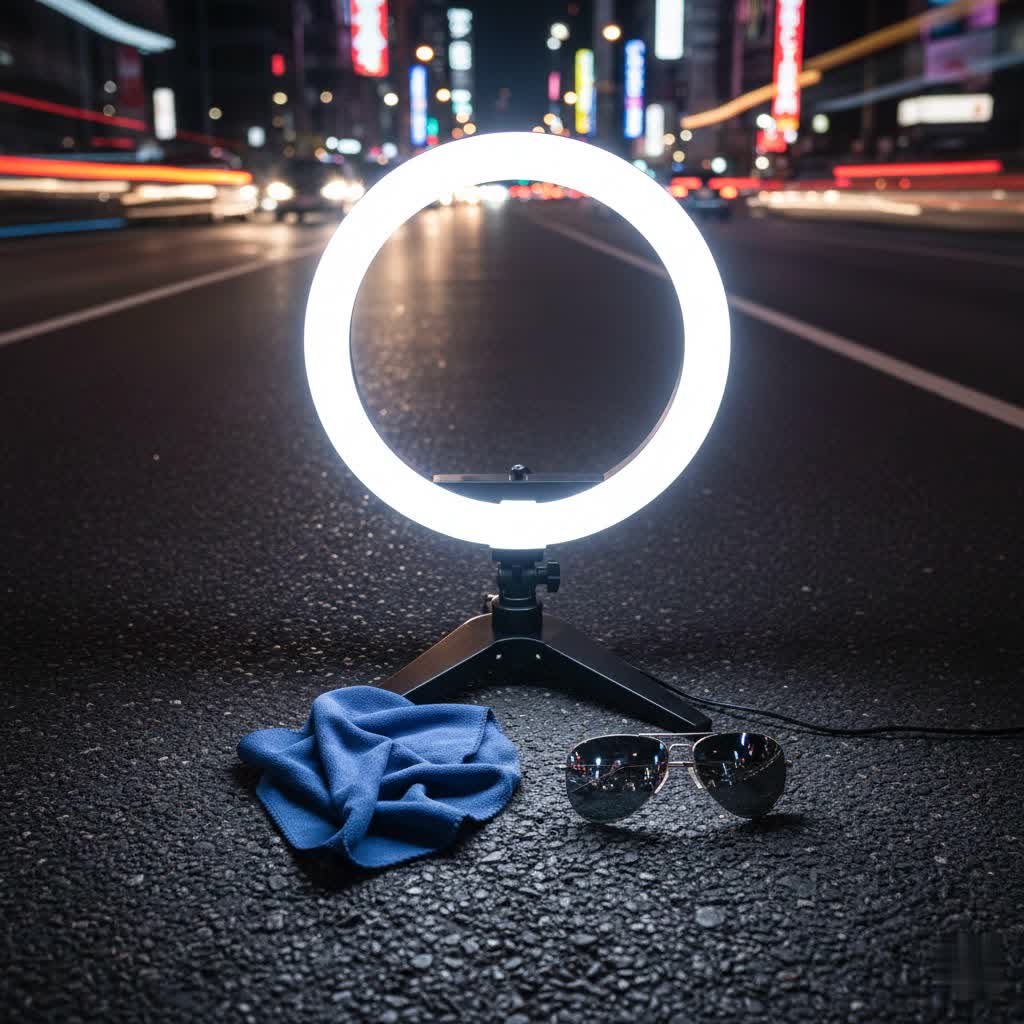
A ring light is a circular lighting device, typically equipped with an array of LED bulbs, designed to provide even and soft illumination directly onto a subject. Its distinctive shape allows for a camera or smartphone to be placed in the center, ensuring that light is cast uniformly from all angles. This unique design effectively minimizes harsh shadows and creates a flattering, natural glow on your face, often producing a signature circular “catch light” in your eyes that adds a professional sparkle.
For streamers, a ring light is not just a luxury but an essential tool. It significantly improves video quality, allowing even budget webcams to perform better in low-light conditions. By delivering consistent, soft light, a ring light helps your stream stand out in a crowded landscape, making your skin tones appear smoother and more vibrant. It’s an investment that can transform an amateur-looking broadcast into a professional production, enhancing viewer engagement and establishing your visual brand.
Types of Ring Lights for Streamers
Ring lights come in various forms, each suited to different streaming environments and needs. Understanding these distinctions is key to making an informed choice.
Ring lights are primarily categorized by their size, technology, and features.
-
By Size:
- Small (6-10 inches): Compact and often USB-powered, these are ideal for close-up face shots, tabletop setups, or on-the-go streaming with a phone. They are highly portable but offer less light coverage.
- Medium (12-14 inches): Providing a better balance of coverage and portability, these are great for head-and-shoulders or upper-body shots. Many solo streamers find this size to be the sweet spot for performance and size.
- Large (16-20+ inches): Designed for professional setups, these offer extensive coverage for full upper-body shots or multi-person streams. They deliver maximum brightness and the softest light, but are less portable and take up more space. Desktop-specific models (like the Logitech Litra Glow) are also available, often smaller but optimized for monitor mounting.
-
By Technology:
- LED Ring Lights: The most common type, LED lights are energy-efficient, long-lasting, and often offer adjustable brightness and color temperature. They provide consistent, flicker-free illumination.
- Fluorescent Ring Lights: While less common now, some older or specialized models still use fluorescent bulbs, known for soft, diffused light, though they can be bulkier and less flexible with color temperature adjustments.
-
By Features:
- Adjustable Brightness (Dimming): Almost all modern ring lights offer multiple brightness levels, often ranging from 1% to 100%, allowing precise control over illumination intensity.
- Adjustable Color Temperature (Bi-Color): Measured in Kelvin (K), this feature lets you switch between warm (2700K-3500K for cozy, intimate tones), natural (4000K-4500K for balanced light), and cool (5000K-6500K for bright, daylight-mimicking light) tones to match your environment. Bi-color lights are highly versatile.
- RGB Lighting: Some ring lights include RGB modes, offering a spectrum of colors beyond white light. These are perfect for adding atmospheric background lighting or matching a gaming setup’s aesthetic.
- Control Options: This can range from onboard physical buttons and touch panels to wireless remote controls (Bluetooth) and even smartphone app integration (like Elgato’s Control Center or Logitech’s G HUB) for hands-free adjustments.
- Power Source: Options include USB-powered (convenient for laptops/power banks, but sometimes less powerful), AC-powered (consistent power for long streams), and battery-powered (for ultimate portability).
- Mounting Solutions: Most come with a tripod stand (extendable for floor or desk use), while some offer weighted desk bases, monitor mounts (like the Logitech Litra Glow), or clip-on designs for laptops/phones. Integrated phone holders and camera mounts are also common.
Comparing Top Ring Lights: Key Features and Considerations
Choosing the best ring light involves weighing various features against your specific streaming needs and budget. Below is a comparison of popular and highly-rated models, followed by a brief look at how ring lights stack up against other lighting solutions.
Detailed Comparison Table
|
Our Picks for the Best Ring Light in 2026
As an Amazon Associate I earn from qualifying purchases.
|
||
| Num | Product | Action |
|---|---|---|
| 1 | CloudValley Magnetic Desktop 10" Ring Light with Battery Display, 5000mAh Overhead Phone Mount, Foldable Portable LED Light with 3 Modes & 10-Level Brightness for Makeup, Selfies, TikTok, YouTube |

|
| 2 | Ring Floodlight Cam Pro, Wired (newest model), Home or business security, Retinal 4K with wide-angle video, 10x Enhanced Zoom, and 2000 Lumen Floodlights, White |
|
| 3 | Sensyne 10'' Ring Light with 50'' Extendable Tripod Stand, LED Circle Lights with Phone Holder for Live Stream/Makeup/YouTube Video/TikTok, Compatible with All Phones |
|
| 4 | Video Conference Lighting for Zoom Meeting, Ring Light for Desk with Flexible Stand, 30 Light Modes Light for Video Recording, Desk Light & Memory Function for Zoom Calls, Video Streaming, Webcam |
|
| 5 | Weilisi 10" Ring Light with Stand 72'' Tall & Phone Holder,38 Color Modes Selfie Light with Tripod Stand,Stepless Dimmable/Speed LED Ring Light for iPhone & Android,YouTube, Makeup,TIK Tok |
|
| 6 | UBeesize 12'' Selfie Ring Light with 62’’ Tripod Stand for Video Recording, Live Streaming(YouTube, Instagram, TIK Tok), Compatible with Phones, Cameras and Webcams |
|
| 7 | Ring Outdoor Cam Pro, Plug-In (newest model), Home or business security, Retinal 4K with wide-angle video, 10x Enhanced Zoom, and Low-Light Sight, White |
|
| 8 | NEEWER Ring Light 18inch Kit: 55W 5600K Professional LED with Stand and Phone Holder, Soft Tube & Bag for Tattoo Lash Extension Barber Makeup Artist Studio Video Photography Lighting, RL-18 |
|
| 9 | Hagibis 21 inch Ring Light with Stand Outer 55W 5600k Dimmable LED Light, Tripod Stand,and Phone Holder,Remote Controller,Carrying Bag ,CRI 97+ 2540lux, for Streaming Home Office Zoom Call Lighting |
|
| 10 | Ring Spotlight Cam Pro, Plug-in (newest model), Home or business security, Retinal 4K with wide-angle video, 10x Enhanced Zoom, and 600 Lumen Spotlights, White |
|
| Product / Model | Size (Diameter) | Power/Brightness (Max) | Color Temperature Range | Key Features | Pros | Cons | Ideal Use Case |
|---|---|---|---|---|---|---|---|
| Elgato Ring Light | 17 inches | 2500 Lumens | 2900K – 7000K | Edge-lit LEDs, app/onboard control, Stream Deck integration, flicker-free | Premium build, ultra-bright, wide color range, ecosystem integration, easy on eyes | Higher price point | Professional streamers, seamless integration with Elgato ecosystem |
| NEEWER 18-inch Ring Light Kit | 18 inches | 55W (240 LEDs) | 5600K (adjustable with filters) | Wide dimming (1-100%), soft tube mount, carrying case, sturdy stand | Very bright, professional quality, versatile positioning, good value | Stand can wobble at full height, phone holder may feel fragile, heavy | Serious streamers needing bright output for larger spaces or multi-person setups |
| Logitech Litra Glow | 4×4 inch panel | TrueSoft LED | 2700K – 6500K | Monitor mount, TrueSoft technology, frameless diffuser, G HUB integration | Space-saving, natural skin tones, integrated software control, UL certified for all-day use | Small coverage area, lowest setting can still be bright, no battery option, USB-A required | Desktop streamers, webcam close-ups, small spaces, Logitech ecosystem users |
| UBeesize 12-inch with 62-inch Tripod | 12 inches | 240 high-efficiency LEDs | 3000K – 6000K | 10 brightness levels, 5 color temp settings, Bluetooth remote, USB-powered | Bestseller, good brightness for price, tall tripod, complete kit for beginners | Tripod can wobble, mount can be flimsy, USB cord short | Beginner streamers on a budget, complete kit for basic needs |
| Razer Ring Light | 12 inches | 192 LEDs | 3000K / 4500K / 6500K | USB powered, various mounting options (PC, monitor, tripod), phone holder | Good light quality, sturdy build, portable, works with PC/mobile, includes quality tripod | USB power only, less output than larger lights | Everyday vlogging, video calls, streaming near screen, gaming setups |
| Lume Cube Ring Light Pro | 17.5 inches | 256 edge-lit LEDs | 3200K – 5600K | Internal battery (up to 120 mins), LCD display, remote control, 96+ CRI | Pro-grade performance, excellent color accuracy, versatile, cordless operation, premium feel | Higher price point | Professional content creators, mobile photography, premium quality seekers |
| ESDDI 18-inch Ring Light | 18 inches | 45W (432 LEDs) | Bi-color (adjustable) | 1-100% smooth dimming, includes kit with phone holder | Powerful, bright, excellent value for money, soft finish with reduced shadows | May lock into few brightness settings on some models | Budget-conscious streamers needing powerful, large coverage |
| Weilisi Large Full-Screen Ring Light | Full-screen | 6500K LED | 3 color modes | Full-screen technology (no ring reflection), stable circular base, CRI > 95 | Incredible brightness, professional CRI, eliminates eye reflections, very stable, plugs into wall | Higher price, phone holder below light, heavy base | Professional creators needing studio-quality light with accurate color and no eye reflection |
Ring Light vs. Key Light vs. Softbox for Streaming
While this guide focuses on ring lights, it’s helpful to understand how they compare to other popular lighting solutions for streaming:
- Ring Lights: Best for close-up face cam shots and single-person streams. They offer even, soft illumination and the signature catch light effect. Their main limitations are coverage area (not ideal for full-body shots) and the potential for a visible ring reflection in the eyes.
- Key Lights (LED Panels): Offer greater versatility for full-body shots, multi-person streams, or more complex three-point lighting setups. They can be positioned off-camera to create more dynamic lighting but often require more advanced setup knowledge. Examples include Elgato Key Light or Razer Key Light.
- Softboxes: Provide the softest, most flattering light, often used in professional photography and video production. They are bulky, take up significant space, and are generally more expensive and complex to set up than ring lights.
For most solo streamers doing seated content, a quality ring light strikes the best balance of performance, ease of use, and value.
How to Choose the Best Ring Light for Your Streaming Setup
Selecting the right ring light can feel daunting with so many options. By focusing on your needs and understanding key specifications, you can narrow down the choices and find your perfect match.
Determine Your Streaming Needs
Before looking at specifications, clarify what you need the ring light for:
- Purpose: Are you primarily streaming games with a face cam, doing makeup tutorials, recording product reviews, or hosting multi-person interviews? For close-up face cam, a 10-12 inch light might suffice. For product demos or wider shots, a 14-18 inch or desk-mounted light with an overhead arm (like UBeesize 12-inch Desk Ring Light) would be better.
- Space: Do you have ample floor space for a tripod, or are you limited to a desktop setup? Monitor-mounted lights like the Logitech Litra Glow save desk space.
- Portability: Do you stream from different locations, or do you need a permanent setup? USB-powered or battery-powered options offer greater portability.
Consider Your Budget
Ring lights range widely in price, and setting a realistic budget is crucial.
- Entry-level ($25-$50): Good for beginners, offers basic illumination with limited features. Expect decent performance for close-up shots.
- Mid-range ($50-$100): Provides better build quality, more adjustable features (brightness, color temperature), and improved stability. Models like the NEEWER 18-inch can fall into this category when on sale.
- Professional ($100+): Offers premium build, advanced features like high CRI, app control, robust stands, and superior light output. Elgato and Lume Cube lights often fit here.
Remember, a good ring light can dramatically improve your stream’s quality more than a camera upgrade, so it’s a worthwhile investment.
Understand Key Specifications
Delving into the technical details will help you compare models effectively:
- Size (Diameter): This determines the coverage area and light softness. 10-12 inches is good for headshots, while 14-18 inches offers broader coverage for upper body and softer shadows.
- Brightness (Lumens/Wattage): Measured in lumens (or sometimes wattage for LED panels), this indicates how powerful the light is. For dark rooms, 500-800 lumens might be enough for close-ups. For rooms with ambient light, 1000-2000+ lumens ensure consistent quality. Look for adjustable brightness with at least 5-10 levels.
- Color Temperature (Kelvin): This dictates the hue of the light. Bi-color lights allow you to adjust from warm (lower K values like 2700K) to cool (higher K values like 6500K) tones, letting you match your room’s ambient lighting for a seamless look.
- Color Rendering Index (CRI): A CRI over 90 (ideally 95+) indicates that the light accurately reproduces colors, making skin tones and objects appear natural and true-to-life on camera. The Weilisi Large Full-Screen Ring Light, for example, boasts a CRI over 95.
- Power Source:
- USB-powered: Convenient, compatible with laptops and power banks, good for portability, but sometimes limited in brightness.
- Battery-powered: Offers complete cordless freedom for mobile setups but requires recharging and might have shorter runtimes at full power.
- AC-powered: Plugs directly into a wall outlet, providing consistent and reliable power for long streaming sessions without worrying about battery life.
- Mounting Options: Consider if you need a floor-standing tripod, a compact desk stand, or a monitor mount. Stability is key, especially for larger lights or busy streaming setups.
Read Reviews and Compare Products
Before making a final decision, always:
- Consult Expert Reviews: Read professional reviews from tech websites and streaming communities for in-depth analysis and hands-on testing.
- Check User Feedback: Pay attention to customer reviews on retail sites. These often highlight real-world pros and cons, durability issues, and performance in various scenarios.
- Watch Video Demos: Seeing a ring light in action can give you a better idea of its size, brightness, and how it affects a subject’s appearance.
“A good ring light can make a budget webcam look professional, while poor lighting makes even expensive cameras produce amateur results.” – PropelRC Team, Tech Reviewers
Where to Buy Your Ring Light
Once you’ve identified the ideal ring light for your streaming needs, knowing where to purchase it is the next step.
You can find ring lights from a variety of reputable sources:
- Online Retailers: Major e-commerce platforms like Amazon, B&H Photo Video, and Best Buy offer a vast selection of ring lights from numerous brands, often with competitive pricing and detailed customer reviews. Websites like StreamYard and PropelRC also link to recommended products on these platforms.
- Electronics Stores: Physical stores such as Best Buy or local camera shops allow you to see products in person, compare sizes, and sometimes test them out before purchasing.
- Specialty Streaming/Photography Stores: These shops, both online and brick-and-mortar, often carry higher-end, professional-grade lighting equipment and can offer expert advice.
When buying online, always:
- Verify Seller Reputation: Ensure you are purchasing from a reputable seller to avoid counterfeit products or issues with warranty.
- Check Return and Warranty Policies: Understand the return window and warranty coverage in case the product doesn’t meet your expectations or has defects.
Maximizing Your Ring Light: Setup, Usage, and Maintenance
Owning the best ring light is only half the battle; knowing how to set it up, use it effectively, and maintain it will ensure you get the most out of your investment.
Optimal Placement and Setup
- Position at Eye Level: For the most flattering angle and even light distribution, place the ring light at or slightly above your eye level.
- Maintain Optimal Distance: Sit approximately 2-3 feet (60-90 cm) from the light. Too close, and the light can be overpowering or cause reflections; too far, and it loses its effectiveness.
- Camera in the Center: Always position your webcam, smartphone, or camera lens directly in the center of the ring light. This is crucial for achieving the signature soft, shadowless look and the appealing catch light in your eyes.
- Adjust Brightness Gradually: Start at a medium brightness (e.g., 50%) and adjust incrementally based on how you appear on camera. Avoid maxing out the brightness unless absolutely necessary, as it can wash out features.
- Match Color Temperature: If your ring light has adjustable color temperature, try to match it with your room’s ambient lighting for a natural, seamless integration. Use cooler tones for a clean, professional look and warmer tones for a cozier atmosphere.
- Test Before Going Live: Always do a quick test stream or record a short clip to verify your appearance, lighting, and audio before starting a live broadcast. This helps catch any issues beforehand.
General Maintenance Tips
To prolong the life and performance of your ring light:
- Keep it Clean: Gently wipe LED bulbs and diffusers with a soft, lint-free cloth to remove dust and smudges that can affect light quality.
- Handle with Care: Avoid sudden impacts or dropping the light. Be gentle when extending tripods or adjusting angles to prevent damage to mounts or joints.
- Store Properly: When not in use, collapse the stand and store the ring light in its carrying case (if provided) or a safe, dust-free environment to protect it from potential damage.
- Manage Cables: Ensure power cables are not crimped or stretched tightly to prevent internal damage or short circuits.
Troubleshooting Common Ring Light Issues
Even the best ring lights can sometimes encounter minor issues. Here are some common problems and their simple fixes:
- Insufficient Brightness:
- Check Power Source: Ensure the light is receiving adequate power. USB-powered lights might be underperforming if connected to a low-power USB port. Try a wall adapter or a different USB port.
- Adjust Settings: Double-check that the brightness is set to an appropriate level for your environment.
- Distance: Move closer to the ring light for more intense illumination.
- Wobbly Stand/Mount:
- Tighten Locks: Ensure all locks on the tripod or stand are securely tightened.
- Stable Surface: Place desk stands on a flat, stable surface. For tripods, extend legs fully and evenly.
- Weight Distribution: For larger lights, ensure the weight is centered and balanced.
- Flickering Light:
- Power Supply: A flickering light can sometimes indicate an unstable power supply. Try plugging it into a different outlet or using a different USB adapter.
- Cable Connection: Check all cable connections to ensure they are secure.
- Faulty Unit: If the problem persists, it might indicate a faulty unit or bulb, and you should contact customer support if under warranty.
- Remote Control Not Working:
- Battery Check: Replace the batteries in the remote control.
- Pairing: Re-pair the Bluetooth remote with your device or the ring light itself, following the manufacturer’s instructions.
- Obstructions: Ensure there are no physical obstructions between the remote and the light’s receiver.
With proper setup, mindful usage, and basic troubleshooting, your ring light will consistently provide the excellent illumination needed to make your streaming content shine.
Conclusion
A high-quality ring light is an indispensable tool for any streamer looking to enhance their on-camera presence and deliver polished, professional content. By providing soft, even, and shadow-free illumination, it not only flatters your appearance but also significantly boosts your webcam’s performance, making your streams more engaging and visually appealing. Whether you’re a beginner on a budget or a seasoned professional, understanding the different types, key specifications like size, brightness, and color temperature, and how to properly set up your light will guide you to the perfect choice. Investing in the right ring light is a fundamental step toward creating captivating streams that truly stand out and connect with your audience.
What aspect of your streaming setup do you think a new ring light could improve the most?
Frequently Asked Questions
Is a ring light good for streaming?
Absolutely, ring lights are excellent for streaming because they provide consistent, soft, and flattering illumination, especially for close-up face cam shots. They minimize harsh shadows, enhance skin tones, and create an appealing “catch light” in your eyes, giving your stream a professional and engaging look.
What is the best lighting for streaming overall?
The “best” lighting depends on your specific streaming needs. For solo streamers focused on face cam, a ring light offers the best balance of ease of use and professional results. For wider shots or multi-person setups, a key light (LED panel) or a more complex three-point lighting setup might be more versatile.
What ring light do professional streamers use?
Professional streamers often opt for premium models like the Elgato Ring Light for its ecosystem integration and brightness, the Lume Cube Ring Light Pro for its build quality and portability, or the Weilisi Large Full-Screen Ring Light for studio-grade, reflection-free lighting. Many also combine ring lights with other lighting solutions.
Do influencers still use ring lights?
Yes, ring lights remain a staple for influencers and content creators across platforms like TikTok, Instagram, and YouTube. Their ability to deliver consistent, high-quality lighting makes them essential for maintaining a polished visual brand, and newer models continue to evolve with smart features and RGB options.
What size ring light is best for streaming?
For most solo streamers, a 12-inch or 14-inch ring light offers an ideal balance of coverage and size, perfect for head-and-shoulders or upper-body shots. Smaller 10-inch lights work for very close-up shots, while 18-inch and larger models are best for professional setups requiring wider coverage.
Are ring lights worth it for streaming?
Yes, ring lights are definitely worth the investment for streamers. They dramatically improve video quality at a relatively affordable price point, often making an average webcam look professional. Their ease of setup and immediate positive impact on stream appearance make them one of the most effective upgrades for aspiring content creators.
