Are you embarking on your creative journey, diving into the world of vlogging, streaming, or perfecting your makeup artistry? The right lighting can transform your content from amateur to polished, yet premium equipment often comes with a hefty price tag. This is where the Vivitar ring light steps in, offering an accessible and effective solution for illuminating your vision without breaking the bank. Designed with affordability and ease of use in mind, Vivitar ring lights have become a popular choice for beginners and hobbyists seeking to enhance their photos and videos with flattering, even light. This comprehensive guide will explore everything you need to know about Vivitar ring lights, helping you decide if it’s the perfect illumination tool for your creative endeavors.
What is a Ring Light and What Are Its Uses?
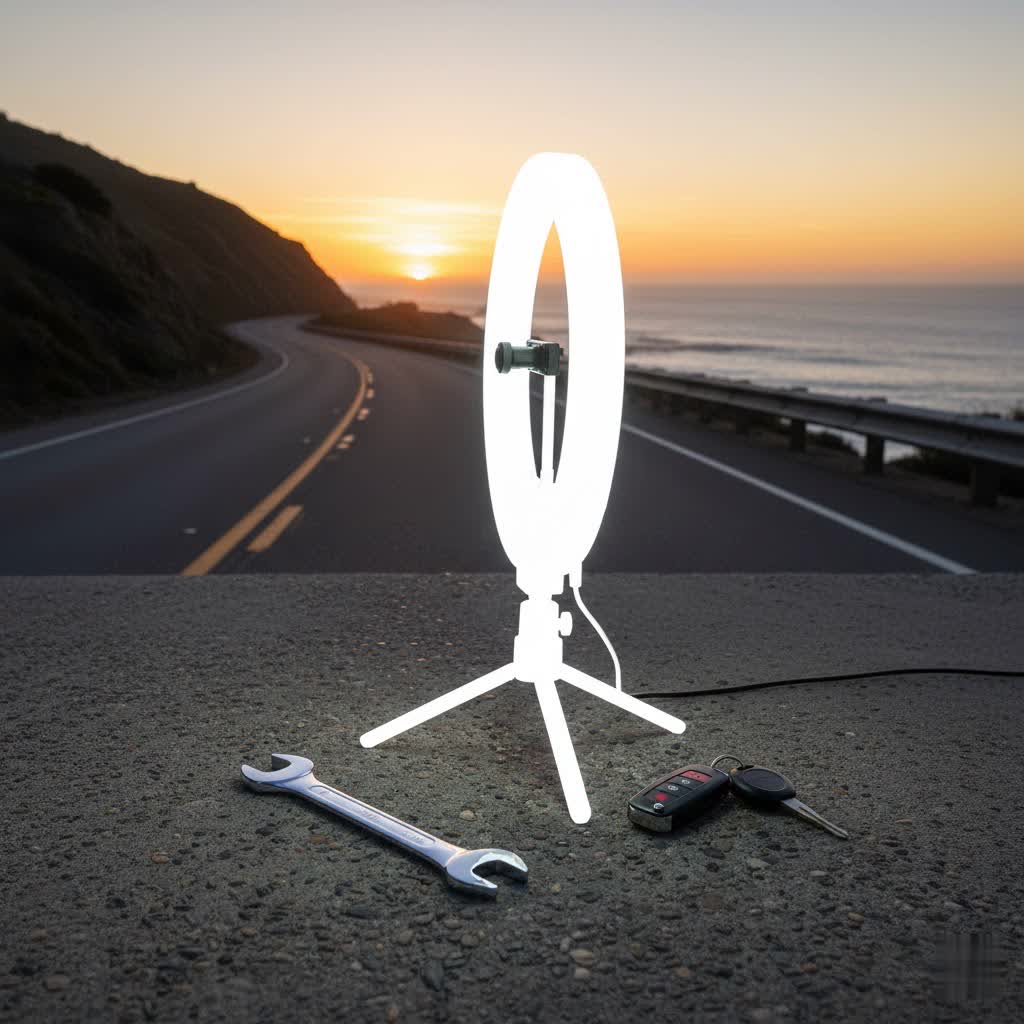
A ring light is a simple yet powerful lighting tool, typically circular in shape, designed to provide a uniform and shadow-free light source. The circular design allows a camera, phone, or even a person’s face to be positioned directly in the center, ensuring that the light wraps evenly around the subject.
The primary function of a ring light is to eliminate harsh shadows and create a soft, diffused glow that enhances features and provides a professional look. Its versatility makes it indispensable across various fields:
- Photography: Ideal for portrait photography, product photography, and macro shots, creating appealing catchlights in the eyes.
- Videography: A favorite among YouTubers, TikTok creators, and live streamers for consistent, bright, and engaging on-camera presence.
- Makeup Artistry: Essential for precise application, ensuring true-to-color representation, and for capturing detailed makeup tutorials.
- Video Conferencing: Improves clarity and professionalism during online meetings and virtual calls, making you look your best.
Popular Types of Ring Lights on the Market
Ring lights come in various forms, catering to different needs and budgets. Understanding these categories helps in making an informed decision.
There are several ways to categorize ring lights:
- By Size:
- Small (6-10 inches): Often desktop models or clip-on lights, perfect for close-up work, phone selfies, or as supplementary lighting. They are highly portable.
- Medium (12-14 inches): A popular all-around size, offering a good balance of portability and ample illumination for single subjects like vlogging or makeup.
- Large (18-20+ inches): Provides extensive and powerful lighting, typically used for professional studios, full-body shots, or when a wide area needs consistent light. These usually come with sturdy floor stands.
- By Technology:
- LED Ring Lights: The most common type today, known for energy efficiency, long lifespan, and often offering adjustable brightness and color temperature. Vivitar primarily uses LED technology.
- Fluorescent Ring Lights: Older technology, less common now. They tend to be larger, hotter, and less flexible in terms of brightness and color control.
- By Features:
- Adjustable Brightness: Allows users to control the intensity of the light, crucial for adapting to different environments and desired effects.
- Adjustable Color Temperature: Enables switching between warm (yellowish), cool (bluish-white), and neutral lighting, mimicking different times of day or moods (e.g., 3200K-6500K).
- RGB Colors: Some advanced (and some Vivitar) models offer a spectrum of colors beyond white light, adding creative flair for videos and photos.
- Remote Control: A wireless remote allows for convenient adjustments to brightness and color temperature without needing to touch the light directly.
- USB Charging Ports: A handy feature found in some Vivitar models, allowing you to charge your phone or other devices while using the light.
- Included Stands and Holders: Many ring lights, including Vivitar, come as kits with adjustable tripod stands and phone/camera holders, making them ready to use out of the box.
Comparing Different Ring Light Types
Choosing the right ring light involves weighing various factors, from its physical size to its technical capabilities and overall value. The Vivitar brand typically focuses on providing feature-rich options at an accessible price point, often making them an attractive entry-level choice.
Detailed Comparison Table
|
Our Picks for the Best Ring Light in 2026
As an Amazon Associate I earn from qualifying purchases.
|
||
| Num | Product | Action |
|---|---|---|
| 1 | Ring Outdoor Cam Pro, Plug-In (newest model), Home or business security, Retinal 4K with wide-angle video, 10x Enhanced Zoom, and Low-Light Sight, White |

|
| 2 | Weilisi 10" Ring Light with Stand 72'' Tall & Phone Holder,38 Color Modes Selfie Light with Tripod Stand,Stepless Dimmable/Speed LED Ring Light for iPhone & Android,YouTube, Makeup,TIK Tok |
|
| 3 | Video Conference Lighting for Zoom Meeting, Ring Light for Desk with Flexible Stand, 30 Light Modes Light for Video Recording, Desk Light & Memory Function for Zoom Calls, Video Streaming, Webcam |
|
| 4 | Hagibis 21 inch Ring Light with Stand Outer 55W 5600k Dimmable LED Light, Tripod Stand,and Phone Holder,Remote Controller,Carrying Bag ,CRI 97+ 2540lux, for Streaming Home Office Zoom Call Lighting |
|
| 5 | CloudValley Magnetic Desktop 10" Ring Light with Battery Display, 5000mAh Overhead Phone Mount, Foldable Portable LED Light with 3 Modes & 10-Level Brightness for Makeup, Selfies, TikTok, YouTube |
|
| 6 | Ring Floodlight Cam Pro, Wired (newest model), Home or business security, Retinal 4K with wide-angle video, 10x Enhanced Zoom, and 2000 Lumen Floodlights, White |
|
| 7 | Ring Spotlight Cam Pro, Plug-in (newest model), Home or business security, Retinal 4K with wide-angle video, 10x Enhanced Zoom, and 600 Lumen Spotlights, White |
|
| 8 | Sensyne 10'' Ring Light with 50'' Extendable Tripod Stand, LED Circle Lights with Phone Holder for Live Stream/Makeup/YouTube Video/TikTok, Compatible with All Phones |
|
| 9 | NEEWER Ring Light 18inch Kit: 55W 5600K Professional LED with Stand and Phone Holder, Soft Tube & Bag for Tattoo Lash Extension Barber Makeup Artist Studio Video Photography Lighting, RL-18 |
|
| 10 | UBeesize 12'' Selfie Ring Light with 62’’ Tripod Stand for Video Recording, Live Streaming(YouTube, Instagram, TIK Tok), Compatible with Phones, Cameras and Webcams |
|
| Feature | Small Ring Lights (e.g., Vivitar 10-inch) | Medium Ring Lights (e.g., Vivitar 12-inch) | Large Ring Lights (e.g., Vivitar 18-inch) |
|---|---|---|---|
| Size | 6-10 inches diameter | 12-14 inches diameter | 18-20+ inches diameter |
| Power/Brightness | Moderate, suitable for close-ups | Good, sufficient for single subject | High, for wider illumination |
| Color Temperature | Often fixed or 3 modes (warm/cool/neutral) | Usually adjustable (3200K-6500K) | Highly adjustable (3200K-6500K), sometimes RGB |
| Price Range | Budget-friendly ($15-$40) | Mid-range ($30-$70) | Higher-end budget ($50-$100+) |
| Portability | Very high, often desktop/clip-on | High, often comes with a carry bag | Moderate, comes with a carry bag, can be bulky |
| Pros | Compact, great for travel, inexpensive | Versatile, good balance of features/size | Powerful, excellent for professional look, often includes many accessories |
| Cons | Limited coverage, less powerful | May not be enough for full-body shots | Can be bulky, less portable, sometimes build quality issues with budget brands |
| Ideal Use | Selfies, video calls, small product shots | Vlogging, makeup, portraits, streaming | Studio work, larger portraits, professional video |
Top Ring Light Brands (Including Vivitar)
While many brands populate the ring light market, Vivitar stands out as a strong contender for those seeking value.
Vivitar: Vivitar ring lights are widely recognized for their accessibility and affordability, making them an excellent entry point for new content creators. They typically offer a range of sizes, from 10-inch desktop models to 18-inch floor-standing units. Key features often include adjustable brightness and color temperature, phone holders, tripod stands, and wireless remotes. Some models even boast RGB color options and integrated USB charging ports. While praised for their brightness and value, some users have noted concerns regarding the build quality, with occasional reports of flickering lights or flimsy tripods.
Other Reputable Brands (for comparison):
- Neewer: Known for offering a wide range of ring lights, often with better build quality and more precise controls than ultra-budget options, popular among serious hobbyists and semi-professionals.
- Razer: Targets the gaming and streaming community with high-quality, durable ring lights that often integrate with their ecosystem, albeit at a higher price point.
- Sensyne/UBeesize: Popular on Amazon, these brands often compete directly with Vivitar in the budget segment, providing similar features and value.
> “For beginners and budget-conscious creators, Vivitar offers an unbeatable combination of features and affordability. While they might not meet the rigorous demands of a professional studio, they provide more than adequate lighting for most personal and small-scale content creation needs.” – Reviewubon.com Admin, Lighting Technician
How to Choose the Right Vivitar Ring Light
Selecting the ideal Vivitar ring light involves a thoughtful consideration of your personal needs, budget, and desired technical specifications. Given Vivitar’s focus on affordability, you’ll want to ensure you’re getting the best value for your specific use case.
1. Determine Your Usage Needs
Start by clearly defining what you’ll primarily use the ring light for:
- Photography/Videography: Are you shooting portraits, products, or macro shots? The size and brightness needed will vary. For full-body shots or larger studio setups, an 18-inch Vivitar ring light would be more suitable than a 10-inch model.
- Makeup Application: For detailed makeup work, a light with accurate color rendering (high CRI) and adjustable brightness is key. A medium to large size is usually preferred for illuminating the entire face evenly.
- Live Streaming/Vlogging: Consistency is crucial. Look for models with stable stands and reliable brightness/color temperature controls. Many Vivitar models come with phone cradles and adjustable stands, making them ideal for these purposes.
- Portability: Do you need to travel with your ring light, or will it stay in one location? Smaller Vivitar models are more portable, while larger ones, though sometimes foldable, can still be cumbersome for frequent transport. Note that most Vivitar models require an AC power source, limiting “on-the-go” usage without an inverter.
2. Set Your Budget
Vivitar ring lights are known for being budget-friendly, typically ranging from $20 to $100 depending on size and features.
- Entry-Level (under $50): You can find smaller Vivitar models (e.g., 10-12 inches) that are perfect for basic selfies, video calls, or desktop use. These often include essential features like a tripod and phone holder.
- Mid-Range ($50-$100): This category typically includes larger 18-inch Vivitar ring lights with more robust stands, wireless remotes, and possibly additional features like RGB colors or USB charging ports. This price point usually offers the best balance of features and performance within the Vivitar lineup.
Always compare prices across different retailers, as Vivitar products are widely available at stores like Walmart and Staples.
3. Understand Technical Specifications
Delving into the technical details ensures you pick a light that performs as expected:
- Power/Brightness (Lumens/Wattage): Higher wattage generally means brighter light. While Vivitar lights are often praised for their brightness, compare wattage if available, or rely on reviews for subjective brightness assessments. Remember, some older Vivitar ring flashes like the DR-7000 had issues with consistent brightness at higher settings when battery-powered [cite: 1 (Nikonites)].
- Color Temperature (Kelvin – K): This refers to the “warmth” or “coolness” of the light.
- Warm Light (3000K-3500K): Creates a cozy, inviting atmosphere.
- Neutral Light (4000K-4500K): Closest to natural daylight, good for general use.
- Cool Light (5000K-6500K): Bright, crisp light, ideal for makeup, photography, and professional videos.
Most Vivitar LED ring lights offer adjustable color temperatures, typically from 3200K (warm) to 5800K or 6500K (cool).
- Color Rendering Index (CRI): A measure of how accurately a light source renders colors compared to natural sunlight. A higher CRI (90+) indicates better color accuracy, which is vital for makeup artists and product photography. While Vivitar may not always publicize CRI, it’s a good factor to consider for professional results.
- Size (Diameter): This determines the spread of light. A larger diameter (e.g., 18 inches) provides a broader, softer light, while smaller ones (e.g., 10-12 inches) are better for focused illumination.
4. Read Reviews and Compare Products
Before making a final decision, always consult multiple reviews and compare different Vivitar models or even Vivitar against other budget brands.
- Customer Reviews: Pay attention to user experiences regarding brightness, build quality, tripod stability, and the functionality of included accessories like remotes and phone holders. Some users have reported issues like buzzing sounds or flickering lights with certain Vivitar models, while others laud their performance for the price.
- Video Reviews/Unboxings: YouTube videos can offer visual demonstrations of the light’s intensity, color temperature changes, and assembly process, which can be invaluable.
- Compare Features: Look at how different Vivitar models stack up in terms of size, accessories, and advanced features (like RGB or USB charging) to ensure you’re getting the best value for your specific needs.
Where to Buy Vivitar Ring Lights
Vivitar ring lights are widely available through various retail channels, both online and in brick-and-mortar stores, reflecting their mass-market appeal.
- Online Retailers:
- Walmart.com: A primary retailer for Vivitar ring lights, often featuring various models and sizes, frequently at competitive prices.
- Amazon: Another popular platform where you can find Vivitar ring lights, sometimes from third-party sellers.
- Staples.com: Offers Vivitar Creator Series ring lights, often catering to office and content creation needs.
- Vivitar.com: The official website may offer their range of products, though third-party retailers often have better deals.
- Physical Stores:
- Walmart: You can often find Vivitar ring lights in the electronics or photography sections of physical Walmart stores.
- Other Electronics Retailers: Stores like Best Buy might carry Vivitar products, depending on regional stock [cite: 4 (Best Buy search result)].
Considerations when buying online:
- Return Policy: Always check the seller’s return policy. This is especially important for electronics like ring lights, where defects or performance issues can sometimes arise, as noted in some Vivitar customer reviews. Walmart, for example, is generally known for straightforward returns.
- Warranty: Understand the warranty offered by Vivitar or the retailer. This provides peace of mind in case of manufacturing defects.
- Shipping Costs: Factor in shipping costs when comparing prices, especially if buying from different online platforms.
How to Use and Maintain Your Vivitar Ring Light
Proper setup, usage, and routine maintenance are crucial for maximizing the performance and extending the lifespan of your Vivitar ring light.
Setting Up Your Ring Light:
- Assembly: Most Vivitar ring lights come with a tripod stand. Assemble the stand first, extending the legs for stability. Then, securely attach the ring light head to the top of the stand. Ensure all screws and locks are tightened.
- Mounting Your Device: Utilize the included phone or camera holder. If it’s a gooseneck holder, adjust it so your device sits comfortably and securely in the center of the ring light.
- Power Connection: Connect the AC adapter to the ring light and then plug it into a wall outlet. Vivitar ring lights typically require being plugged in for operation and are not battery-powered for “on-the-go” use.
- Positioning: Place the ring light directly in front of your subject. The ideal distance can vary, but generally, 1-3 feet is a good starting point for portraits or headshots. Adjust the height of the tripod stand to align the light with your subject’s eye level for the most flattering illumination.
- Adjusting Settings: Use the controls on the light itself or the wireless remote to adjust brightness and color temperature. Experiment with different settings to find the desired look. For makeup or natural vlogging, a cooler temperature (around 5500K) is often preferred, while a warmer light adds a cozy ambiance.
Maintaining Your Ring Light:
- Cleaning: Gently wipe the LED surface with a soft, dry, lint-free cloth to remove dust. Avoid harsh chemicals or abrasive materials that could scratch the LEDs or diffuser.
- Storage: When not in use, collapse the tripod stand and store the ring light in its carrying bag if provided. This protects it from dust and accidental damage, especially given that some Vivitar components can be less durable.
- Cable Care: Avoid bending or kinking the power cable excessively. A damaged cable can lead to intermittent power or failure. If your Vivitar light has a short cord, consider a power strip with a longer lead.
- Handling: Handle the light and stand carefully. While Vivitar offers affordability, some components, like plastic tripod legs, can be fragile.
Common Issues with Ring Lights and How to Troubleshoot
Even with user-friendly devices like Vivitar ring lights, you might encounter occasional issues. Here are some common problems and straightforward solutions:
- Light Not Turning On:
- Check Power: Ensure the AC adapter is securely plugged into both the wall outlet and the ring light. Verify the wall outlet is working by plugging in another device.
- Remote Battery: If using a remote, check if its battery needs replacement.
- Internal Wiring: For persistent issues, especially if the light briefly flickers, it could be a loose internal wire. This might require a technical repair, as shown in general ring light repair videos, but for Vivitar, given its price point, contacting customer support or seeking a replacement (if under warranty) might be more practical.
- Inconsistent Brightness or Flickering:
- Power Fluctuation: Ensure the power source is stable.
- Control Knob vs. Remote: Some users have reported that Vivitar’s manual brightness knobs can be inconsistent. Try using the wireless remote, as it often provides more stable control over brightness.
- Defective Unit: If flickering persists, especially at full power, it might indicate a defective unit. Several Vivitar users have reported this problem. Contact Vivitar customer support or the retailer for a replacement.
- Buzzing Sound:
- This issue has been reported by some Vivitar users. It could be a manufacturing defect related to the LED driver. If the buzzing is loud and noticeable, especially in recordings, it’s best to contact customer service for troubleshooting or a replacement.
- Tripod Instability/Wobbling:
- Legs Spread Fully: Ensure the tripod legs are fully extended and locked into place.
- Even Surface: Place the tripod on a flat, stable surface.
- Weight Distribution: If possible, avoid placing heavy accessories on the light if the tripod seems flimsy.
- Defective Stand: Some Vivitar tripods have been described as flimsy or having non-standard mounting, limiting their compatibility with other stands. If the stand is defective, a replacement from the retailer is advisable.
- Gooseneck Phone Holder Comes Loose:
- The gooseneck mount, while flexible, can occasionally become loose with repeated adjustments or heavier phones. Ensure it’s tightened properly where it attaches to the ring light. If it continues to loosen, you might consider reinforcing it or seeking a sturdier third-party holder.
Remember, for Vivitar products, especially at their price point, customer support can often guide you through basic troubleshooting or facilitate a warranty replacement if the issue is a manufacturing defect.
Conclusion
Vivitar ring lights offer an accessible gateway into the world of professional-looking content creation. While they may not boast the premium build quality or extensive features of high-end brands, their affordability, impressive brightness, and inclusion of essential accessories like adjustable stands, phone holders, and wireless remotes make them a fantastic choice for beginners, hobbyists, and anyone on a budget. By understanding their features, knowing how to properly set them up and maintain them, and being aware of common troubleshooting steps, you can harness the power of a Vivitar ring light to dramatically improve your videos, photos, and virtual presence.
Ready to elevate your content with flattering, professional lighting? A Vivitar ring light could be exactly what you need to shine.
Frequently Asked Questions
Is a Vivitar ring light good for beginners?
Yes, Vivitar ring lights are highly recommended for beginners due to their affordability, ease of use, and inclusion of essential accessories like tripod stands and phone holders, making them a great entry-level option for anyone starting out in content creation or makeup artistry.
How do I adjust the color temperature on a Vivitar ring light?
Most Vivitar LED ring lights feature controls on the light itself or a wireless remote to adjust the color temperature, typically allowing you to switch between warm (around 3200K) and cool (around 5800K-6500K) white light settings.
Can I use a Vivitar ring light with my smartphone?
Absolutely. Vivitar ring lights commonly come equipped with adjustable phone cradles, often on a flexible gooseneck, designed to securely hold most smartphones in the center of the light for optimal illumination during photography, videography, or live streaming.
What should I do if my Vivitar ring light is flickering?
If your Vivitar ring light is flickering, first check for a stable power connection. If the issue persists, try using the remote control for brightness adjustments as manual knobs can sometimes be inconsistent. If flickering continues, it might indicate a defect, and contacting Vivitar customer support or the retailer for a replacement is advisable.
