In today’s digital-first world, your on-screen presence is more important than ever. Whether you’re pitching to clients, leading a team meeting, or connecting with loved ones, clear and professional video is paramount. Poor lighting can leave you looking shadowy, dull, or even completely obscured, diminishing your confidence and impact. This comprehensive guide will illuminate how a ring light can transform your video calls, making you look polished, professional, and perfectly lit every time.
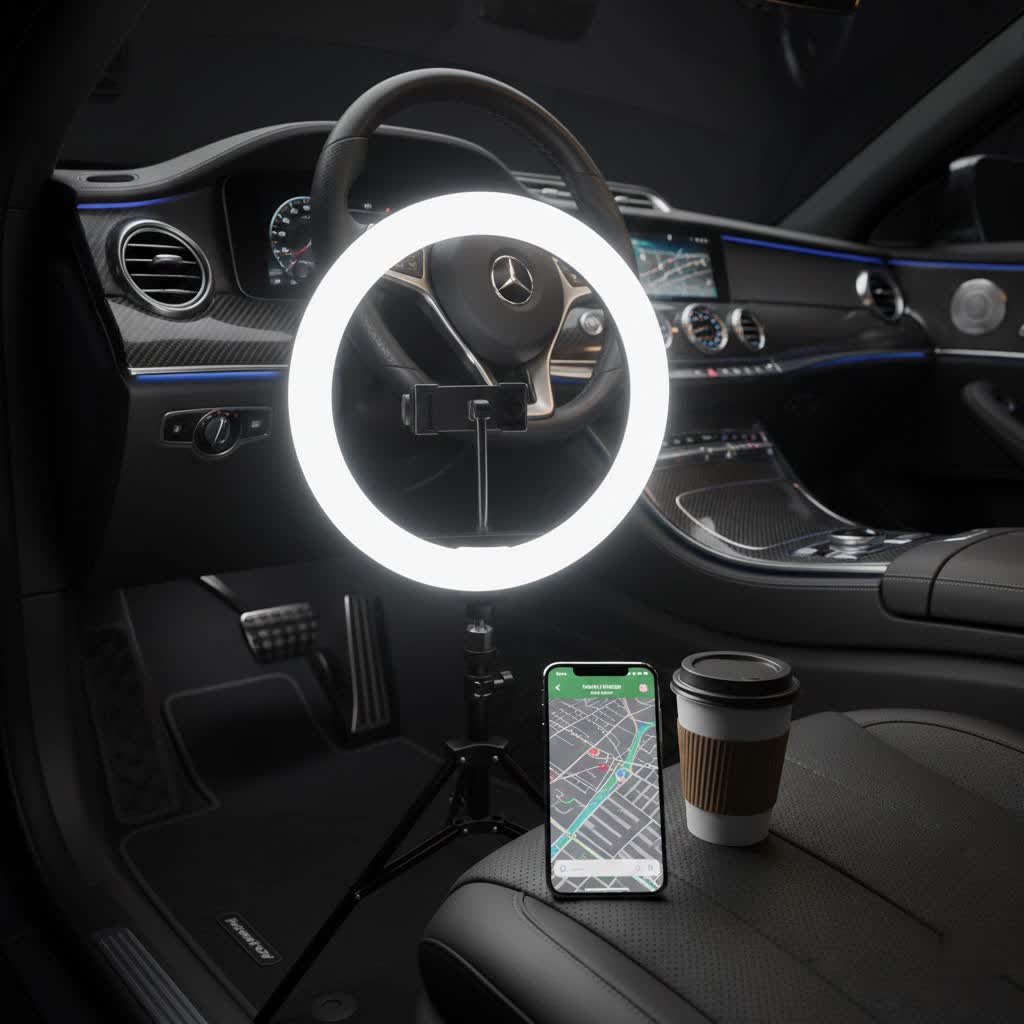
What is a Ring Light and Why is it Essential for Video Calls?
A ring light is a circular lighting device designed to provide even, diffused illumination that wraps around your subject. Unlike standard desk lamps or overhead lights, its unique shape allows your camera to shoot directly through its center, ensuring light hits your face from all angles.
For video calls, a ring light is an indispensable tool because it offers several key benefits. It minimizes harsh shadows, especially those cast under the eyes, nose, and chin, by spreading light uniformly across your face. This creates a softer, more flattering look that enhances your features and makes you appear more vibrant and engaged. By improving visibility, a ring light helps you maintain better eye contact and convey professionalism, ensuring your audience focuses on your message rather than being distracted by subpar lighting. It’s about looking your best and feeling confident, no matter the video platform or your environment.
Exploring the Different Types of Ring Lights
Ring lights come in various forms, each suited for different setups and needs. Understanding these distinctions is crucial for selecting the right model for your video calls.
Ring lights are primarily categorized by their size and the features they offer.
-
By Size:
- Compact (6-10 inches): These smaller ring lights are ideal for laptop webcams, tight desk spaces, or those who need ultimate portability. They often clip directly onto your monitor or come with a small desk stand, making them perfect for on-the-go professionals.
- Medium (10-14 inches): Offering a good balance between coverage and desk footprint, these are the most popular choice for individual video calls. They provide ample illumination for your face and upper body without being overly obtrusive.
- Large (14-18 inches or more): While less common for typical video calls, larger ring lights can offer a softer, more studio-like glow, especially if you sit further from your camera or require broader coverage. These are often preferred by streamers or content creators but might be overkill for daily virtual meetings.
-
By Features:
- Adjustable Brightness: Most modern ring lights allow you to control the intensity of the light, typically via a dimmer dial or buttons. This is essential for adapting to various ambient lighting conditions and preventing overexposure.
- Adjustable Color Temperature: Many ring lights offer “bi-color” capabilities, letting you switch between warm (yellowish) and cool (bluish-white) tones, measured in Kelvin (K). This allows you to match the natural light in your room or choose a temperature that best complements your skin tone.
- Power Source: Options include USB-powered lights (convenient for laptops), AC-powered lights (for consistent power), and battery-operated models (for maximum portability).
- Mounting Options: Ring lights can come with tripods (desktop or floor-standing), monitor clips, or flexible arms for versatile positioning.
-
By Technology:
- Modern ring lights almost exclusively use LED (Light Emitting Diode) technology. LEDs are energy-efficient, produce less heat, and offer a wide range of brightness and color temperature adjustments, making them ideal for continuous use during long video calls.
Side-by-Side: Comparing Popular Ring Light Features
Choosing the best ring light for video calls involves weighing various features against your specific requirements and budget. Here’s a comparative overview of common ring light characteristics:
| Feature | Compact (6-10 inch) | Medium (10-14 inch) | Large (14-18+ inch) |
|---|---|---|---|
| Typical Size | 6-10 inches diameter | 10-14 inches diameter | 14-18+ inches diameter |
| Power | USB, Battery | USB, AC Power | AC Power |
| Brightness | Good for close-up, individual lighting | Excellent for single-person face illumination | Provides a very soft, broad, studio-like light |
| Color Temp | Often adjustable (bi-color) | Usually adjustable (bi-color, 3200K-6500K) | Fully adjustable (bi-color, 3200K-6500K) |
| Price Range | Affordable ($20-$60) | Mid-range ($50-$150) | Higher-end ($100-$300+) |
| Portability | High (often clip-on, very lightweight) | Moderate (many desktop stands, some foldable) | Low (typically tripod-mounted, bulkier) |
| Pros | Highly portable, space-saving, easy setup | Versatile, effective for most video calls, good coverage | Very flattering, professional look, ideal for further distance |
| Cons | Limited coverage, might not be bright enough in very dark rooms | Can take up some desk space, less portable than compact | Bulky, less portable, more expensive, can cause strong eye reflections |
For most video conferencing needs, a medium-sized ring light (10-14 inches) with adjustable brightness and color temperature offers the best balance of performance and practicality.
Top Ring Light Brands and Models for Video Conferencing
Several brands have established themselves in the market for producing reliable and effective ring lights for video calls. Some popular choices include:
- Logitech Litra Glow: This compact, monitor-mountable light is praised for its ease of use, adjustable brightness, and multiple color temperature options. It’s an excellent choice for those with limited desk space or who travel frequently for video calls. The Logitech Litra Beam LX offers an upgraded, more powerful option with a vertical design to save desk space and improved control buttons.
- Neewer: Neewer offers a wide range of ring lights, including popular 10-inch and 12-inch USB-powered models. These are often noted for their affordability and solid performance, making them a great entry point for improving video call lighting.
- Lume Cube Ring Light Mini: Known for its soft, even lighting and adjustable settings, the Lume Cube Ring Light Mini is a good option for enhancing your webcam presence. Lume Cube also offers various professional-grade lighting solutions tailored for content creation and video conferencing.
- Joby Beamo Ring Light: This brand is recognized for producing quality gear for content creators, and their ring lights are also well-suited for video conferencing, providing adjustable lighting for a professional look.
When exploring brands, look for models that emphasize features crucial for video calls, such as flexible mounting, a wide range of color temperatures, and intuitive controls.
How to Choose the Perfect Ring Light for Your Video Calls
Selecting the right ring light can significantly impact your video presence. Consider these factors to make an informed decision:
Determine Your Needs and Usage
|
Our Picks for the Best Ring Light in 2026
As an Amazon Associate I earn from qualifying purchases.
|
||
| Num | Product | Action |
|---|---|---|
| 1 | NEEWER Ring Light 18inch Kit: 55W 5600K Professional LED with Stand and Phone Holder, Soft Tube & Bag for Tattoo Lash Extension Barber Makeup Artist Studio Video Photography Lighting, RL-18 |

|
| 2 | Ring Outdoor Cam Pro, Plug-In (newest model), Home or business security, Retinal 4K with wide-angle video, 10x Enhanced Zoom, and Low-Light Sight, White |
|
| 3 | Ring Spotlight Cam Pro, Plug-in (newest model), Home or business security, Retinal 4K with wide-angle video, 10x Enhanced Zoom, and 600 Lumen Spotlights, White |
|
| 4 | Hagibis 21 inch Ring Light with Stand Outer 55W 5600k Dimmable LED Light, Tripod Stand,and Phone Holder,Remote Controller,Carrying Bag ,CRI 97+ 2540lux, for Streaming Home Office Zoom Call Lighting |
|
| 5 | Sensyne 10'' Ring Light with 50'' Extendable Tripod Stand, LED Circle Lights with Phone Holder for Live Stream/Makeup/YouTube Video/TikTok, Compatible with All Phones |
|
| 6 | Weilisi 10" Ring Light with Stand 72'' Tall & Phone Holder,38 Color Modes Selfie Light with Tripod Stand,Stepless Dimmable/Speed LED Ring Light for iPhone & Android,YouTube, Makeup,TIK Tok |
|
| 7 | CloudValley Magnetic Desktop 10" Ring Light with Battery Display, 5000mAh Overhead Phone Mount, Foldable Portable LED Light with 3 Modes & 10-Level Brightness for Makeup, Selfies, TikTok, YouTube |
|
| 8 | Ring Floodlight Cam Pro, Wired (newest model), Home or business security, Retinal 4K with wide-angle video, 10x Enhanced Zoom, and 2000 Lumen Floodlights, White |
|
| 9 | Video Conference Lighting for Zoom Meeting, Ring Light for Desk with Flexible Stand, 30 Light Modes Light for Video Recording, Desk Light & Memory Function for Zoom Calls, Video Streaming, Webcam |
|
| 10 | UBeesize 12'' Selfie Ring Light with 62’’ Tripod Stand for Video Recording, Live Streaming(YouTube, Instagram, TIK Tok), Compatible with Phones, Cameras and Webcams |
|
First, clarify your primary purpose. Are you primarily using it for professional work meetings, casual family calls, online teaching, or perhaps a bit of streaming? For high-stakes professional calls, investing in a light with precise controls and robust build quality might be beneficial. If portability is key, a compact, USB-powered, clip-on model would be more appropriate.
Consider Your Workspace and Setup
Assess the physical space where you’ll be taking calls.
- Size: For small desks or laptop users, a compact (6-10 inch) ring light or one that clips directly onto your monitor is ideal. If you have more space and sit further from your camera, a medium (10-14 inch) ring light with a desktop or floor stand can provide broader, softer illumination.
- Mounting: Decide if you prefer a light that clips to your laptop or monitor, sits on a small desktop tripod, or comes with a floor stand for greater flexibility.
Understand Key Specifications
Delve into the technical details to ensure the light meets your requirements:
- Brightness (Lumens): This indicates how powerful the light is. Look for adjustable brightness settings to adapt to different room conditions. Starting at about 20% power is often recommended for video calls, then adjust as needed.
- Color Temperature (Kelvin – K): This determines the warmth or coolness of the light. A range of 3200K (warm white) to 6500K (daylight) is ideal for versatility. For a natural look on video calls, a setting between 4500K and 5000K is often optimal, as anything higher can appear too cool or even bluish.
- Color Rendering Index (CRI): While less critical for basic video calls than for photography, a higher CRI (e.g., 90+) means the light will render colors more accurately, which can be beneficial for makeup artists or product demonstrations.
Set Your Budget
Ring lights vary widely in price, from under $30 for basic models to hundreds of dollars for professional-grade units. Determine how much you’re willing to invest based on your usage frequency and desired quality. Often, pricier lights offer better control over color temperature and brightness, along with superior build quality.
Read Reviews and Comparisons
Before making a final decision, take the time to read reviews from other users and watch comparison videos. This can provide real-world insights into a product’s performance, ease of use, and potential drawbacks, helping you choose a light that truly meets your expectations.
Where to Buy Your Ring Light
Once you’ve decided on the perfect ring light, knowing where to purchase it is the next step. You have several reliable options:
- Online Retailers: Major online marketplaces like Amazon, B&H Photo, Adorama, and the official websites of brands like Logitech, Neewer, and Lume Cube offer extensive selections, competitive pricing, and often detailed customer reviews. This provides convenience and a broad range of choices.
- Electronics Stores: Retailers such as Best Buy, Micro Center, or local camera stores often stock a variety of ring lights. Shopping in person allows you to see the product firsthand, test its brightness and features, and get advice from sales associates.
When buying online, always check the seller’s return policy and warranty information. Ensure that any product you purchase comes with a manufacturer’s warranty for peace of mind.
Mastering Your Ring Light: Setup, Usage, and Care
Proper setup and usage are just as important as choosing the right ring light. Here’s how to maximize its effectiveness for your video calls:
Optimal Placement
The placement of your ring light is crucial for achieving flattering illumination.
- Distance: Position the ring light approximately an arm’s length away from you. Placing it too close can wash out your features, while too far diminishes its effectiveness.
- Height: Ideally, the center of the ring light should be at eye level or slightly above, angled gently downward. This creates a natural look and minimizes harsh shadows under your eyes and chin.
- Angle: The most effective angle is usually straight on to your face, directly behind your webcam. You can also experiment with a 45-degree angle to either side to add a bit of contour, but avoid going too far to one side as this can introduce distracting shadows.
Adjusting Brightness and Color Temperature
Fine-tuning these settings is key to a polished look.
- Brightness: Start with a low brightness setting (around 20%) and gradually increase it until your face is evenly lit without appearing overexposed. Use your camera’s preview to monitor your appearance.
- Color Temperature: Experiment with different color temperatures to find what looks most natural with your skin tone and ambient room lighting. A warm white (around 4500K-5000K) is often recommended for a natural look, avoiding very cool “daylight” settings (5400K-5600K) which can make you appear blue or overly stark.
Minimizing Glare on Glasses
If you wear glasses, ring lights can sometimes create distracting reflections.
- Adjust Position: The trick is to raise the light up and move it slightly to the side. This typically eliminates most reflections, though the exact adjustment may depend on your glasses’ prescription.
Managing Ambient Light
Consider other light sources in your environment:
- Avoid Backlighting: Never have a bright window or lamp directly behind you, as this will create a silhouette effect, making your face dark and your background blown out.
- Control Overhead Lights: Overhead lighting can cast unflattering shadows. If possible, turn off strong overhead lights or dim them, relying primarily on your ring light for front-facing illumination. Close curtains if direct window light is too harsh or inconsistent.
Basic Maintenance Tips
To extend the life of your ring light:
- Clean Regularly: Gently wipe the light diffuser with a soft, lint-free cloth to remove dust and smudges.
- Store Properly: When not in use, store your ring light in a clean, dry place, ideally in its original packaging or a protective case if you transport it frequently.
- Handle with Care: Avoid dropping the light or its stand, as this can damage the LEDs or internal components.
Troubleshooting Common Ring Light Issues
Even with the best ring light, you might encounter a few common issues. Here’s how to quickly troubleshoot them:
- You Look Washed Out or Too Bright: This typically means your ring light is too intense or too close. Reduce the brightness setting or increase the distance between yourself and the light. You can also try moving the light slightly to the side, rather than directly centered.
- Harsh Reflections in Glasses: As mentioned, raise the light slightly above eye level and move it a bit to the left or right. Even a small adjustment can significantly reduce or eliminate glare.
- Background Appears Too Dark: If your face is well-lit but your background is dim, your camera might be compensating for the bright ring light. Try slightly reducing the ring light’s brightness or adding a subtle fill light to your background if you have one. Ensure no strong competing light sources are behind you.
- Unflattering Color Temperature: If your skin tone looks too blue, yellow, or unnatural, adjust the color temperature settings on your ring light. Aim for a natural, warm-white range, typically between 4500K-5000K.
Conclusion
A ring light is more than just a gadget; it’s an essential tool for anyone serious about their virtual presence. By providing soft, even, and flattering illumination, it eliminates harsh shadows, enhances your features, and projects a professional and confident image during every video call. From choosing the right size and features to mastering optimal placement and settings, investing a little time in understanding your ring light can profoundly elevate your online interactions.
Ready to light up your next virtual meeting? What improvements do you hope to see in your video calls with a new ring light?
Frequently Asked Questions
What size ring light is best for video calls?
For most individual video calls and desktop setups, a 10-inch to 14-inch ring light offers the best balance of coverage and practicality. Smaller, clip-on lights are excellent for laptops and portability, while larger ones are better for studio-quality lighting or when sitting further from the camera.
Do ring lights improve video quality?
Yes, ring lights significantly improve perceived video quality by providing consistent, flattering illumination that eliminates harsh shadows and makes your face appear clearer and more professional on camera, even with a basic webcam.
How far away should a ring light be for video calls?
For optimal results, position your ring light approximately an arm’s length away from your face. This distance helps to create soft, even lighting without appearing too harsh or washing out your features.
What color temperature is best for video calls?
A color temperature between 4500K and 5000K is generally considered optimal for video calls, providing a natural and pleasing look that avoids the overly cool or bluish tones that can result from higher color temperatures like 5400K-5600K.
