In today’s digital age, looking your best on camera is more important than ever. Whether you’re a content creator, a remote professional, or someone who loves capturing perfect selfies, the right lighting can make all the difference. Imagine stepping into a virtual meeting or hitting “record” on your livestream, only to find harsh shadows distorting your face or your video looking dull. This is where a desktop ring light becomes your best friend, transforming your appearance from ordinary to exceptional. This comprehensive guide will illuminate everything you need to know about choosing, using, and maintaining the ideal desktop ring light for your needs.
What is a Desktop Ring Light? And What Are Its Uses?
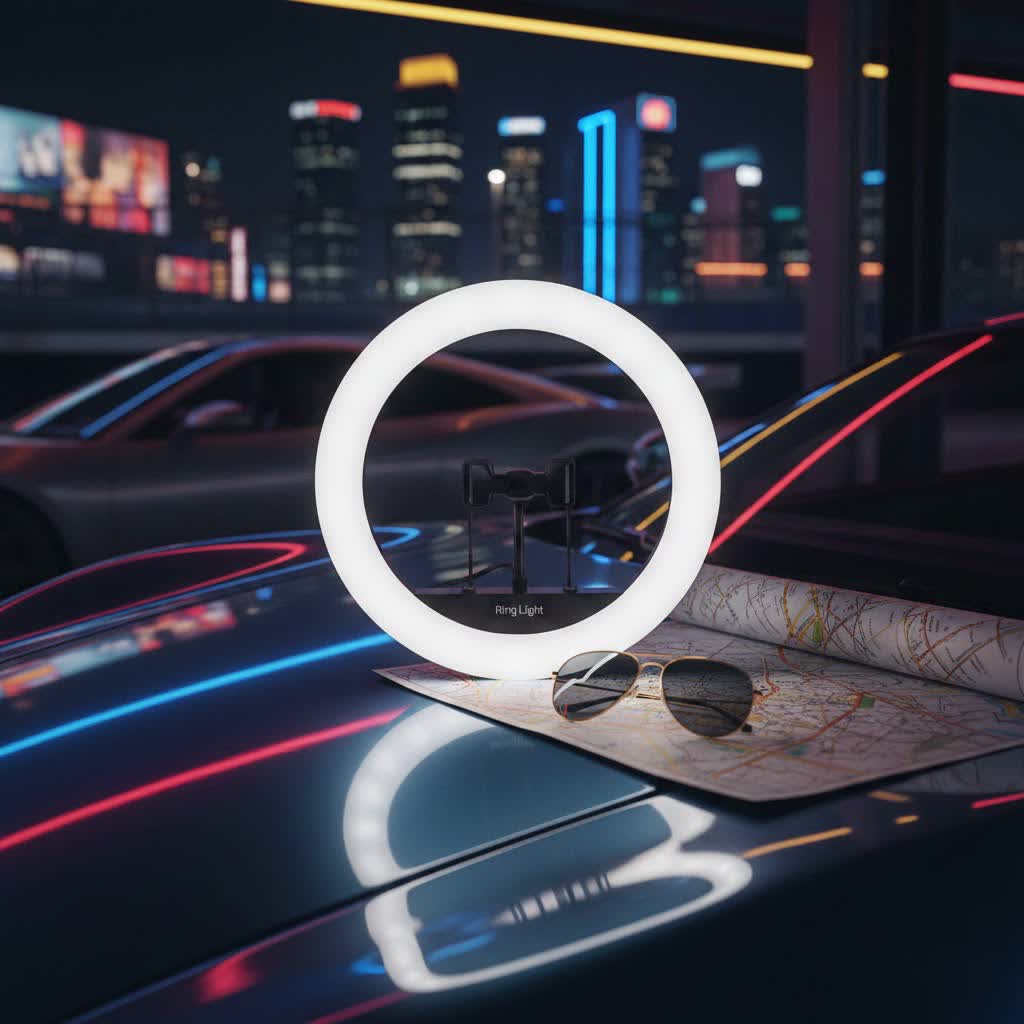
A desktop ring light is a compact, circular lighting device specifically designed to provide flattering, even illumination for subjects at close range, typically while seated at a desk. Unlike larger, floor-standing ring lights, these smaller versions are optimized for personal use, taking up minimal space while delivering powerful lighting effects.
Its primary function is to cast a soft, diffused light directly onto your face or subject, effectively minimizing harsh shadows and blemishes. The circular design also creates a distinctive, attractive “catchlight” or “halo” effect in the eyes, adding a professional and engaging sparkle. Desktop ring lights are indispensable tools across various applications:
- Video Conferencing: Perfect for Zoom, Microsoft Teams, Google Meet, or any virtual meeting, ensuring you look clear, bright, and professional.
- Live Streaming: Essential for Twitch streamers, YouTube vloggers, and TikTok creators to maintain consistent, high-quality lighting throughout their broadcasts.
- Makeup Tutorials: Provides shadow-free, uniform light that is crucial for applying makeup precisely and showcasing detailed work.
- Selfies and Vlogging: Elevates the quality of self-portraits and personal video content by illuminating your face evenly and enhancing features.
- Small Product Photography: Helps to highlight details and eliminate shadows when photographing small items for e-commerce or social media.
Popular Types of Desktop Ring Lights
Desktop ring lights come in various forms, each offering distinct advantages depending on your specific requirements. Understanding these types will help you narrow down your choices.
By Size
Desktop ring lights typically range from 6 to 12 inches in diameter, offering a balance between portability and effective illumination.
- Compact (6-8 inches): These are highly portable and take up very little desk space. Ideal for quick video calls, mobile content creation, or illuminating small products up close. They are often USB-powered for convenience.
- Standard Desktop (10-12 inches): Offering a broader light spread than compact models, these are excellent for most desktop applications, including streaming, vlogging, and makeup. They usually come with an adjustable desktop tripod.
|
Our Picks for the Best Ring Light in 2026
As an Amazon Associate I earn from qualifying purchases.
|
||
| Num | Product | Action |
|---|---|---|
| 1 | Weilisi 10" Ring Light with Stand 72'' Tall & Phone Holder,38 Color Modes Selfie Light with Tripod Stand,Stepless Dimmable/Speed LED Ring Light for iPhone & Android,YouTube, Makeup,TIK Tok |

|
| 2 | Ring Spotlight Cam Pro, Plug-in (newest model), Home or business security, Retinal 4K with wide-angle video, 10x Enhanced Zoom, and 600 Lumen Spotlights, White |
|
| 3 | NEEWER Ring Light 18inch Kit: 55W 5600K Professional LED with Stand and Phone Holder, Soft Tube & Bag for Tattoo Lash Extension Barber Makeup Artist Studio Video Photography Lighting, RL-18 |
|
| 4 | Ring Outdoor Cam Pro, Plug-In (newest model), Home or business security, Retinal 4K with wide-angle video, 10x Enhanced Zoom, and Low-Light Sight, White |
|
| 5 | Hagibis 21 inch Ring Light with Stand Outer 55W 5600k Dimmable LED Light, Tripod Stand,and Phone Holder,Remote Controller,Carrying Bag ,CRI 97+ 2540lux, for Streaming Home Office Zoom Call Lighting |
|
| 6 | UBeesize 12'' Selfie Ring Light with 62’’ Tripod Stand for Video Recording, Live Streaming(YouTube, Instagram, TIK Tok), Compatible with Phones, Cameras and Webcams |
|
| 7 | Ring Floodlight Cam Pro, Wired (newest model), Home or business security, Retinal 4K with wide-angle video, 10x Enhanced Zoom, and 2000 Lumen Floodlights, White |
|
| 8 | CloudValley Magnetic Desktop 10" Ring Light with Battery Display, 5000mAh Overhead Phone Mount, Foldable Portable LED Light with 3 Modes & 10-Level Brightness for Makeup, Selfies, TikTok, YouTube |
|
| 9 | Sensyne 10'' Ring Light with 50'' Extendable Tripod Stand, LED Circle Lights with Phone Holder for Live Stream/Makeup/YouTube Video/TikTok, Compatible with All Phones |
|
| 10 | Video Conference Lighting for Zoom Meeting, Ring Light for Desk with Flexible Stand, 30 Light Modes Light for Video Recording, Desk Light & Memory Function for Zoom Calls, Video Streaming, Webcam |
|
While some larger ring lights (14-18 inches) can be adapted for tabletop use with specific stands, they often require more space and power, blurring the line with full-size studio lights.
By Features
Modern desktop ring lights are packed with features designed to enhance your lighting control.
- Adjustable Brightness: Most models offer multiple brightness levels, allowing you to dim or intensify the light to suit ambient conditions and desired effects. This is crucial for preventing overexposure or appearing too dark.
- Adjustable Color Temperature: This feature allows you to change the warmth or coolness of the light, typically measured in Kelvin (K). You can usually switch between warm (around 3000K, yellowish), neutral (around 4500K, natural white), and cool (around 6500K, bluish-white) tones to match your environment or creative preference.
- Power Source:
- USB-Powered: Highly convenient for desktop use, these lights can plug directly into your computer, laptop, or a USB wall adapter. They are generally less powerful but very versatile.
- AC Powered: Some larger desktop models use an AC adapter, providing more consistent and brighter output.
- Battery Powered: For ultimate portability, some ring lights include rechargeable batteries, perfect for on-the-go content creation.
By Mounting
The way a desktop ring light is mounted impacts its stability and positioning flexibility.
- Desktop Tripod Stands: The most common type, featuring a small, sturdy tripod that sits directly on your desk. Many offer adjustable height and a ball head mount for precise angling.
- Clamp-on Mounts: These lights attach directly to your monitor or desk edge, saving valuable desk space. They are often smaller and very practical for video calls.
- Flexible Arms: Some models integrate a flexible gooseneck arm, allowing for highly versatile positioning and precise targeting of light.
Desktop Ring Light vs. Full-Size Ring Light: A Comparison
While both desktop and full-size ring lights serve to improve illumination, they are designed for different use cases. Understanding their distinctions is key to making the right investment.
| Feature | Desktop Ring Light (Typically 6-12 inches) | Full-Size Ring Light (Typically 14-22 inches) |
|---|---|---|
| Size | Compact, space-saving | Larger, requires more space |
| Portability | Highly portable, often USB or battery powered | Less portable, usually mains powered, heavier |
| Primary Use | Video calls, streaming, makeup, selfies, small products | Professional photography, studio videography, full-body shots |
| Light Output | Sufficient for close-up, single-person illumination | More powerful, broader coverage for larger subjects/areas |
| Power Source | USB, small AC adapter, or battery | Mains power (AC adapter) |
| Price Range | Generally more affordable | Typically higher price point |
| Stand Type | Small desktop tripod, clamp, flexible arm | Tall, floor-standing tripod |
While this guide focuses on ring lights, it’s worth noting that LED panel lights are another lighting alternative. LED panels emit a wider, more diffused light, making them suitable for lighting larger areas or multiple subjects, often preferred in professional film and interview setups. Ring lights, however, excel at creating that signature flattering look and catchlight effect for close-up work.
Top Brands for Desktop Ring Lights
The market offers a wide array of desktop ring lights, but some brands consistently stand out for their quality, features, and reliability.
- Razer: Known for its gaming peripherals, Razer also offers high-quality ring lights, like their 12-inch model, praised for excellent light quality, robust build, and a sturdy tripod, ideal for streamers and content creators.
- UBeesize: A popular brand offering a range of affordable and feature-rich options. Their 10-inch tabletop model is often highlighted as a great bargain for desktop use, providing good brightness and adjustability.
- Lume Cube: Offers premium, often cordless, ring lights and lighting solutions. Their products are recognized for remarkable brightness, extensive color temperature control, and versatile mounting options, suitable for those seeking top-tier features.
- Neewer: Provides a variety of ring lights, including budget-friendly options that balance quality and cost, often with adjustable brightness and bicolor output.
- Logitech (Litra Glow): While not strictly a ring light, the Litra Glow is an excellent desktop fill light known for its compact size, wide color temperature range, and integration with desktop software for easy control, making it perfect for video meetings.
- Travor: Some smaller (e.g., 6-inch) Travor LED ring lights are praised for being perfect desk companions, offering good brightness, dimmability, and adjustable color temperature, often USB-powered and space-efficient.
Choosing a reputable brand often means better build quality, more consistent light output, and reliable customer support.
How to Choose the Perfect Desktop Ring Light for Your Needs
Selecting the right desktop ring light can significantly enhance your content and online presence. Here’s a detailed guide to help you make an informed decision:
Determine Your Primary Use Case
Before anything else, clarify why you need a ring light.
Are you primarily using it for daily video calls, detailed makeup tutorials, high-energy streaming, or casual selfies? Your main purpose will dictate the size, features, and power you need. For instance, a light for casual video calls might not need the same power or extensive features as one for professional-grade makeup artistry.
Consider Size and Portability
Desktop ring lights typically range from 6 to 12 inches in diameter.
- Smaller (6-8 inches): Excellent for close-up shots, limited desk space, or when portability is paramount. They are easy to pack and often run on USB power.
- Medium (10-12 inches): Offers a wider, more forgiving light spread, suitable for most streaming, vlogging, and makeup applications. They provide a good balance between coverage and desk footprint.
Consider your workspace and how often you’ll move the light. If you travel frequently, a compact, battery-powered option might be best.
Assess Brightness and Color Temperature Control
The ability to adjust both brightness and color temperature is critical for adapting to different environments and achieving desired aesthetics.
- Brightness (Lumens/Wattage): Look for lights with dimmable settings. Entry-level models might offer around 800 lumens, while more premium options exceed 2,000 lumens. Smooth dimming is preferable to stepped adjustments to avoid flickering.
- Color Temperature (Kelvin): A broad range, typically 3000K (warm) to 6500K (cool), allows you to match existing room lighting or create specific moods. This ensures your light doesn’t clash with your environment.
Understand Key Technical Specifications
Beyond brightness and color temperature, a few technical specs can influence your light’s performance.
- CRI (Color Rendering Index): This measures how accurately a light source renders colors compared to natural light. Aim for a CRI of 90 or higher for true-to-life color representation, especially vital for makeup artists and product reviewers.
- Power Output: Higher wattage generally means brighter light. For desktop use, USB-powered lights are convenient but might have lower power than AC-powered ones.
Evaluate Power Source Options
Your power source choice impacts mobility and convenience.
- USB Power: Ideal for seamless integration with laptops and desktops. Many can also be powered by portable power banks, offering good flexibility.
- AC Adapter: Provides consistent, higher power output, best for stationary setups where maximum brightness is needed.
- Battery Power: Offers ultimate freedom from outlets, perfect for outdoor shoots or locations without accessible power. Check battery life at full brightness.
Check Build Quality and Stability
A flimsy stand or cheap materials can quickly lead to frustration.
- Stand Stability: Ensure the tripod or stand is robust and has a wide enough base to prevent tipping, especially if you plan to mount a phone or camera. A rubberized base can further enhance stability.
- Materials: Look for durable materials like metal over all plastic components. Pay attention to joints and mounting mechanisms, which are often points of failure in cheaper models.
Read Reviews and Compare Products
Real-world user experiences offer invaluable insights.
Consult reviews from reputable tech sites, content creators, and e-commerce platforms. Pay attention to comments regarding light quality, ease of use, durability, and customer service. Compare several models side-by-side based on the criteria above to find the best fit for your budget and needs.
“When investing in a desktop ring light, prioritize versatility. The ability to adjust brightness, color temperature, and mounting options ensures your light can adapt to any creative endeavor or virtual meeting.” – Alice Chen, Professional Lighting Technician
Where to Buy Your Desktop Ring Light
Acquiring a desktop ring light is easier than ever, with numerous options available both online and in physical stores.
Online Retailers:
Websites like Amazon, B&H Photo Video, Adorama, and the official stores of brands like Razer or Lume Cube offer the widest selection, competitive pricing, and often user reviews. These platforms provide the convenience of shopping from home and direct delivery.
Electronics Stores:
Physical stores such as Best Buy or local electronics shops allow you to see products firsthand and get advice from sales associates. This can be beneficial for comparing sizes and build quality before purchasing.
Tips for Online Purchasing:
When buying online, always check the seller’s return policy and warranty information. Look for products with at least a one-year warranty to protect against defects. Ensure the website is secure and has clear customer service channels.
How to Use and Maintain Your Desktop Ring Light for Optimal Results
Getting the most out of your desktop ring light involves proper setup and care.
Optimal Placement and Angle
For the most flattering results, position your ring light directly in front of you, with your camera (webcam, phone, or DSLR) placed in the center of the ring.
- Height: Start by placing the center of the light at eye level. Adjust it slightly up or down to eliminate harsh shadows under your chin or eyes.
- Distance: Position the light approximately an arm’s length away from your face. Ring lights are designed to work effectively at relatively close distances to create soft, even lighting.
- Angle: While straight-on is often best, you can experiment with angles up to 45 degrees to either side. Avoid extreme side angles, which can introduce unflattering shadows.
Adjusting Brightness and Color
- Brightness: Begin with a low setting (around 20-30% power) and gradually increase it. The goal is to illuminate your face without overexposing it or making the background too dark. Observe your appearance on screen to find the perfect balance.
- Color Temperature: Adjust the color temperature to match the ambient lighting in your room. If you have warm household lights, a warmer Kelvin setting (e.g., 3200K) will blend naturally. For daylight or cooler environments, a higher Kelvin setting (e.g., 5600K-6500K) will be more appropriate.
Dealing with Glasses Glare
Glare on glasses is a common issue. To minimize it:
- Adjust Height: Slightly raise or lower the ring light. Even a small adjustment can change the angle of reflection off your lenses.
- Adjust Distance: Moving the light slightly closer or further away can also shift the glare.
- Angle the Light: Tilt your head or the light slightly to find an angle where the reflection is less prominent.
Care and Storage Tips
Proper maintenance extends the life of your ring light.
- Cleaning: Gently wipe the LED surface with a soft, dry, lint-free cloth. Avoid abrasive cleaners.
- Storage: When not in use, store your ring light in a clean, dry place. If it came with a carrying case, use it to protect against dust and physical damage.
- Handling: Always handle the light and its stand carefully to prevent damage to electrical components or mechanical parts.
Common Desktop Ring Light Issues and How to Troubleshoot Them
Even with the best desktop ring lights, you might occasionally encounter minor issues. Here’s how to quickly troubleshoot them.
Flickering LEDs
If your ring light LEDs flicker, it usually points to a power issue or a faulty unit.
- Check Power Source: Ensure the light is securely plugged into a stable power source. If USB-powered, try a different USB port or a dedicated wall adapter to rule out insufficient power from your device.
- Inspect Cables: Look for any frayed or damaged cables, which can interrupt power delivery.
- Lower Brightness: Sometimes, flickering occurs at very high or very low brightness settings on cheaper models. Try adjusting it to a mid-range.
- Contact Support: If the flickering persists, it might indicate a defect in the light itself. Contact the manufacturer’s customer support.
Unstable Stand
A wobbly stand can be distracting and even cause damage if your device falls.
- Tighten Connections: Ensure all screws, clamps, and extension locks on the tripod or stand are securely tightened.
- Even Surface: Always place the stand on a flat, stable surface. Avoid uneven desks or soft fabrics that could cause it to tip.
- Balance Weight: If using a phone or camera, ensure it is centered in the mount to distribute weight evenly.
- Consider a Heavier Base: For very lightweight stands, adding a small counterweight to the base can improve stability.
Glare on Glasses
As mentioned, reflections on glasses can be annoying.
- Adjust Light Position: The most effective solution is to experiment with the height and distance of the ring light. Start with the light slightly above eye level and an arm’s length away, then make small adjustments.
- Angle of Incidence: Sometimes, slightly tilting the light or your head can change the angle at which light hits your glasses, minimizing glare.
- Reduce Brightness: Lowering the brightness can reduce the intensity of the reflection, making it less noticeable.
By understanding these common issues and simple fixes, you can ensure a smoother, more enjoyable experience with your desktop ring light.
Conclusion
A desktop ring light is an invaluable tool for anyone looking to enhance their visual presence in the digital world. From making your video calls more professional to elevating your social media content, its ability to provide soft, even, and flattering illumination is unmatched. By carefully considering your needs, exploring the various types and features, and understanding key technical specifications, you can confidently choose a ring light that perfectly fits your workflow and budget. Remember to prioritize adjustable brightness and color temperature, a sturdy build, and a reliable power source for long-term satisfaction. With the right desktop ring light, you’re not just buying a light; you’re investing in a brighter, more confident you.
What creative projects will a desktop ring light empower you to illuminate?
Frequently Asked Questions
What size desktop ring light is best for Zoom calls?
For Zoom calls and similar video conferencing, a desktop ring light between 6 to 10 inches in diameter is often ideal. This size is compact enough to fit on most desks without being intrusive, while still providing sufficient and flattering illumination for your face during close-up interactions.
Can I use a desktop ring light for professional photography?
While desktop ring lights are excellent for close-up portraits, beauty shots, and small product photography, they are generally not powerful enough for full-body shots or large studio setups. For professional-grade studio photography requiring broader coverage or more complex lighting, larger ring lights or LED panel lights are typically preferred.
How do I avoid glare on my glasses when using a ring light?
To minimize glare on glasses, adjust the height and distance of your ring light. Try positioning the light slightly above eye level and an arm’s length away, then make small incremental adjustments. Sometimes, slightly tilting the light or your head can also shift the reflection out of view.
Are all desktop ring lights USB powered?
No, not all desktop ring lights are USB powered. While many compact and portable models are designed for USB connectivity for convenience with laptops and computers, others may use an AC adapter for a more consistent and powerful output. Some also offer battery power for ultimate portability.
What is CRI, and why is it important for a ring light?
CRI (Color Rendering Index) measures how accurately a light source reveals the true colors of objects compared to natural light. For a ring light, a high CRI (90 or above) is crucial, especially for makeup artists, product photographers, and content creators, as it ensures that colors are displayed vibrantly and accurately, preventing a washed-out or unnatural look.
